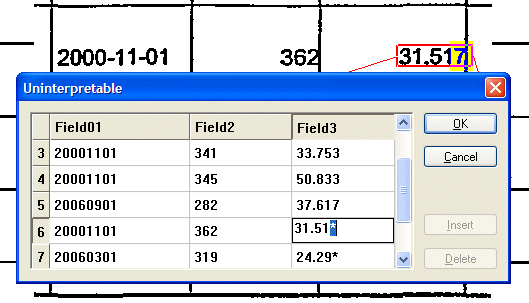
FORMS has a special verification dialog for matrix fields. It is used for all matrix fields, with few exceptions.
Focus is placed on the field with the error status.
|
To... |
Do this... |
|
After correcting an error, move to another field with an error status |
Press Enter. |
|
Move around the grid |
Press the arrow buttons on your keyboard. |
|
Create a filled-in field from an empty one |
Use the arrow buttons to move to an empty field, or click it, and type a value. |
|
Delete a row |
Click the row number along the left side of the grid. Then click Delete. |
|
Insert a row |
Click a row number, then click Insert. A new row is inserted above the row you selected. |
Columns cannot be inserted.