Scanner settings: Rotation
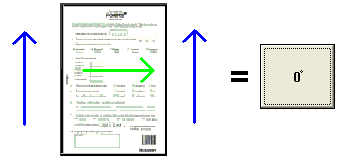
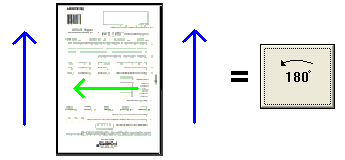
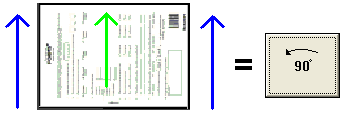
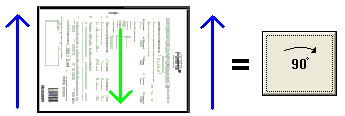
Select the rotation of the invoice using the Rotate front and Rotate back buttons in the Scanner settings dialog.
In some situations, it can be advantageous or necessary to rotate an invoice during scanning. To do this:
-
Note the direction in which the invoices will be fed into the scanner.
-
Click the Rotate front and Rotate back buttons until the desired rotation is achieved.
Rotating images for two-sided invoices
You can rotate the back and front of two-sided invoices individually. However, the settings must either be the same or the direct opposites (differ by 180 degrees):
Note: The INI-file setting, AllowOtherPageSizeFromScanner, can be used to enable Auto Rotate in VRS for an A4 scanner.
Related topics
Scanner settings: Paper size and orientation
Scanner descriptions: Overview
 +
+ 
 +
+ 