Kofax SignDoc Standard 2.1.0.1 - Online Help
Signing settings
The Signing Settings allow an administrator to set preferences and configurations for this account that are specific to the actual signing of documents.
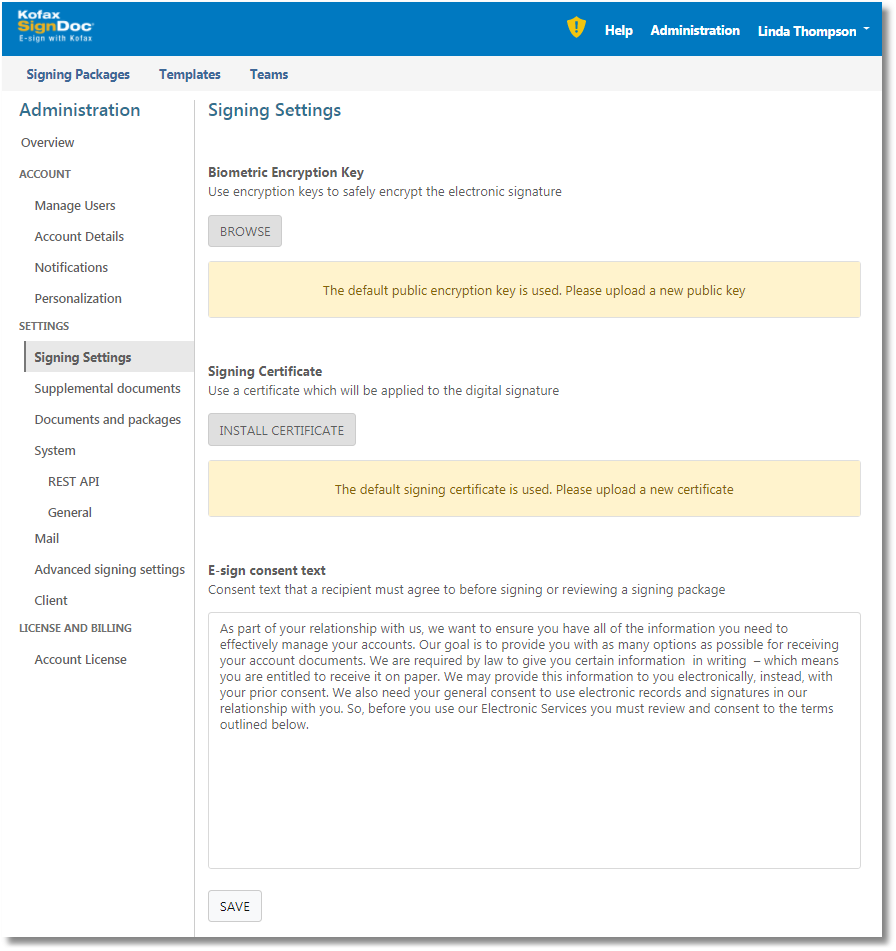
Biometric encryption key
This is the encryption key that will be used to encrypt biometric signature data whenever it is captured during the signing process. Generally, such data is only captured when using specific hardware signature tablets during the signature capture process. Ideally, you should upload the public key for your company here, and take all precautions to put the private key in safekeeping. This will allow you to encrypt signature data such that only the person with access to the private key will be able to decrypt it at a later time (if necessary).
In order to upload the public key, you must click the Browse button and select the public key file from your local computer.
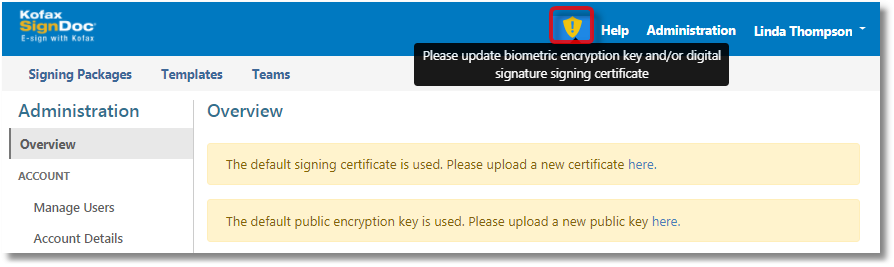
If no biometric key is set here, a default biometric key will be used, and a warning will appear at the top of each SignDoc Standard page instructing the administrator to update the biometric key.

This is the digital signing certificate that will be used for each SignDoc Standard signature placed in a document. By clicking Install Certificate you will be provided with a dialog that will allow you to browse the local computer’s file system in order to select and upload the digital certificate. Once uploaded, the selected certificate will be used for all signing ceremonies.
The possibility to select your own signing certificate allows an administrator to ensure that a certificate’s credentials match the account holder’s. This is particularly important for the final signed documents. When inspecting signed documents, the certificate selected here will be displayed and the document will be shown as having been signed by the owner of the certificate.
If no certificate is selected, a default self-signed certificate will be used, and a warning will appear at the top of each SignDoc Standard page instructing the administrator to update the signing certificate.
E-sign consent text
The e-sign consent text is the text that will be displayed to each recipient of a signing package before signing. The recipient will be asked to acknowledge their agreement with this text before being permitted to continue the signing process. It is important that the text provided here represents you, or your company’s legal terms and conditions concerning electronic signing of documents. A default text is provided which the account administrator must modify here. Kofax takes no responsibility for documents signed using the default text. The text is provided as-is and must be modified before using SignDoc Standard.