Kofax SignDoc Standard 2.1.0.1 - Administration Center Online Help
Account details
You can update general information about the account.
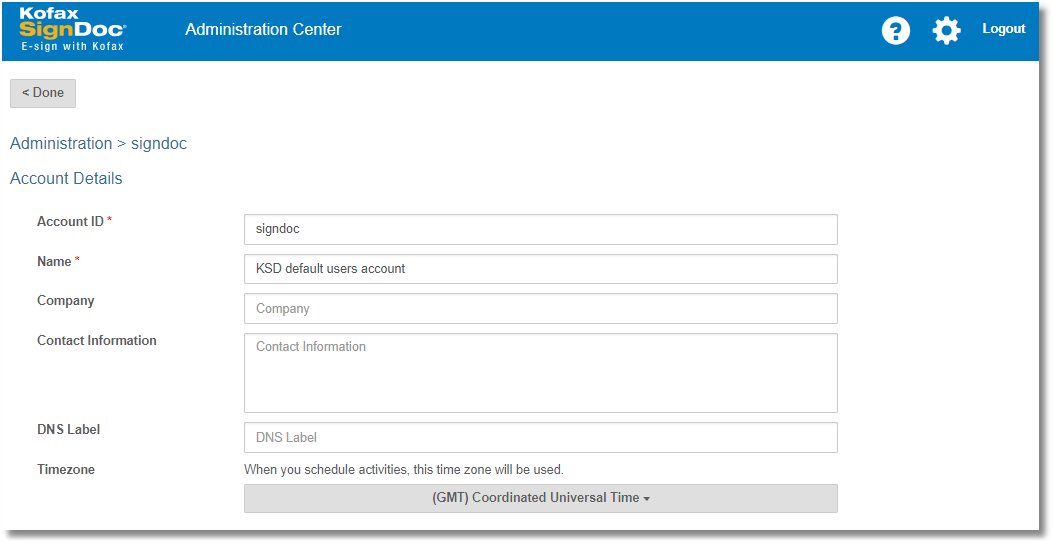
On the Account Details page you can set specific attributes to be used for the account. They are as follows:
Account ID: This is a mandatory field that is used to identify a specific account. The account id may be requested from users during login to the system and differentiates several accounts from one tenant that may be active in this SignDoc Standard installation. The Account ID must be unique system-wide.
Name: This is the name to be used throughout the system for an account. This field is mandatory.
Company: This is an optional field identifying the name of the company to which this account belongs.
Contact Information: This is an optional field describing the contact information for this account.
DNS Label: This label allows this SignDoc Standard account to be accessible via a subdomain. E.g. If your company’s account should be accessible via the url yourcompany.kofax-signdoc.com, the label "yourcompany" will appear in the DNS label field. This field is configured upon creation of this account by the server administrator and is not editable.
Timezone: A drop down box is provided to allow you to select the timezone to be used for all timestamps during signing, as well as for any time and/or date indications within the application.