Kofax SignDoc Standard 2.1.0.1 - Administration Center Online Help
Manage account administrators
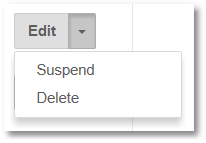
There are two methods to delete or change the state of the account administrator.
1.Action drop down:
2.Checkbox multiselect:
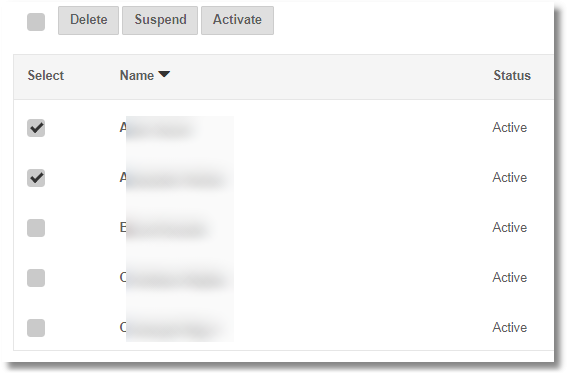
Using this option you can change the state of several account administrators at once. If one or more checkboxes are checked the Delete, Suspend, Activate buttons are visible. If you click one of these buttons the corresponding action is applied to all checked administrators.
•Delete users
Performing this action deletes the user’s access data and blocks the user from accessing the account.
•Suspend users
Performing this action blocks the user from accessing this account. The user cannot log in, but can be reactivated with the same credentials.
•Reactivate users
After suspending a user a server administrator can restore the account membership at any time. Once restored the user can sign in and access SignDoc Standard functionality.
•Reinvite users
A server administrator is now able to reinvite an already invited user e.g. if the original email got lost. For this purpose a new action Reinvite is added to the drop menu of each invited user in the Manage Account Administrators page. He can do this as often as he wants until the user has become active. This happens when the user provides a password for the first time. Reinviting a user will invalidate all invitations previously sent.