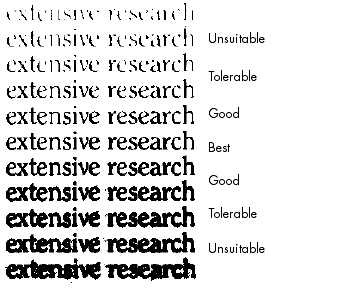
Good brightness and contrast settings play an important role in OCR accuracy. Set these in the Scanner panel of the Options dialog box. The diagram illustrates an optimum brightness setting. After loading an image, check its appearance. If characters are thick and touching, lighten the brightness. If characters are thin and broken, darken it. Then rescan the page.
Instead of rescanning, you can improve the OCR images in the Image Enhancement window.
For information on other aspects of scanning, click here.