Quick tour of Correction
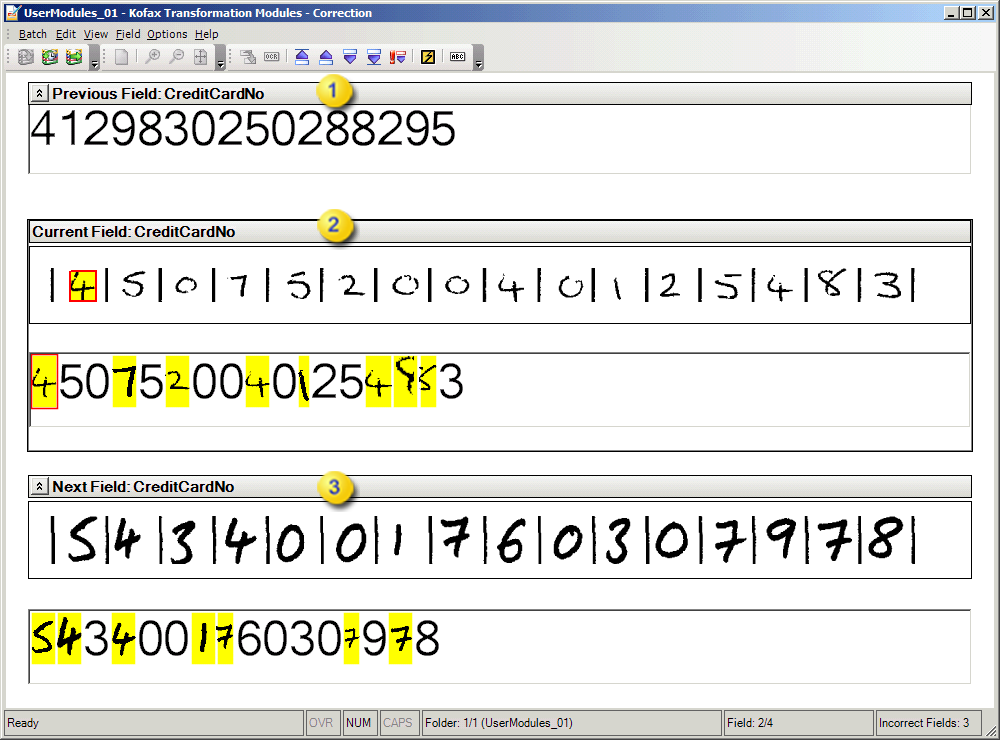
Correction has a menu and toolbar for quick access to various features and commands. The fields to be corrected are displayed below. In addition, a status bar is displayed along the bottom of the window and provides additional information to the user. Your solution integrator may have configured the module to hide the Previous Field, the Next Field, or both.

|
Previous Field pane |

|
Current Field pane |

|
Next Field pane |