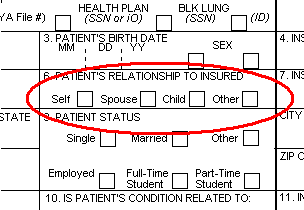
These mark fields are good candidates for one of the required fields that are suitable for the calculation of global field displacement. They are not too close together, and they have sufficient free space surrounding them.
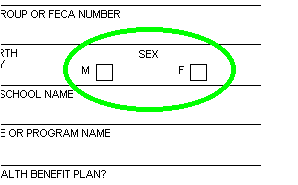
If forms are filled in by a printer, interpretation can sometimes be improved if you specify that FORMS should check each form for global field displacement.
The form definition must include at least three (ideally, five) fields that were double-clicked when they were defined. (FORMS uses these as reference points to calculate the displacement.) These fields should:
Be evenly dispersed on the form (ideally, one in each corner and one in the middle).
Be surrounded by free space.
You can check whether the requirements are fulfilled by trying to select Check for global displacement as described below. If the requirements for this setting are not met by the form as it is currently set up, an error message is displayed.
You may be able to change the form definition (that is, define additional suitable fields) to satisfy the requirements. However, if the program continues to display the error message, do not use this option in the form definition.
Select ð Form definition settings. The Form definition settings dialog is displayed.
Select Check for global displacement.