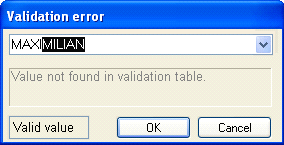
The images below show what it looks like when you use Verify to validate or review fields values if the field definition includes:
A table for validating field values
The Show candidates in Verify option
(Exceptions.)
The values in the table you specified are available in the dialog that shows the field value (often the Validation error dialog). When you begin typing a field value and the characters you type match a field value contained in the table, the rest of the field value is filled in automatically.
You can also click the arrow in the list box and choose a value from the table.
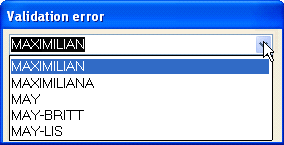
The values in the table are available in both normal mode and fast verify mode, as well as when you use split view, but not when you fast-verify unknown characters.
Using tables to validate field values
Specifying a validation table (includes Show candidates in Verify)