Kofax SignDoc Standard 2.1.0 - Online Help
Resend a signing request
Sometimes a SignDoc Standard user is requested to resend the signing package to recipients. A new email address of the recipient can be entered.
A user can resend a signing package to all or only to one recipient.
1.Select View of a signing package on the Signing packages page.
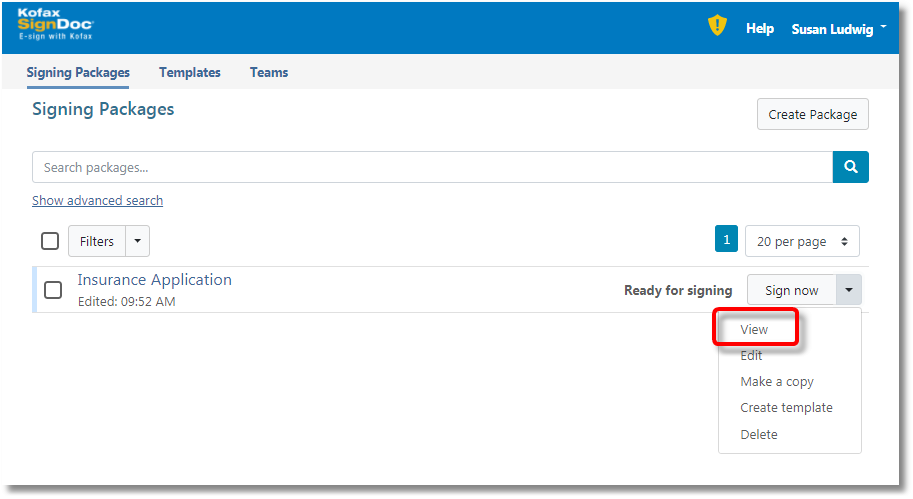
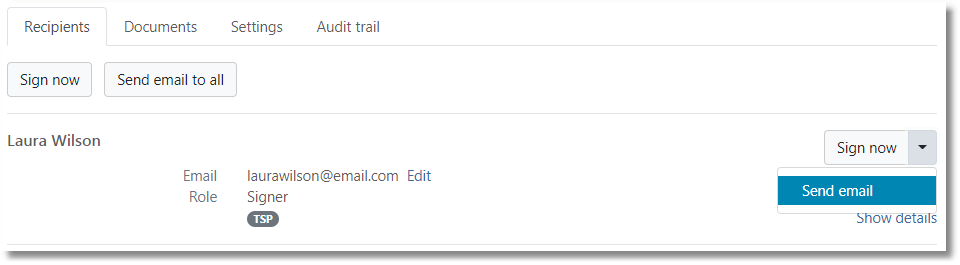
2.Go to section Recipients and select Send email from action dropdown of corresponding recipient.
3.Type mail subject and body text (message to the recipient) and select the checkbox to include link for signing. An email address of the recipient can be entered, if no emails have been saved for the signer yet.
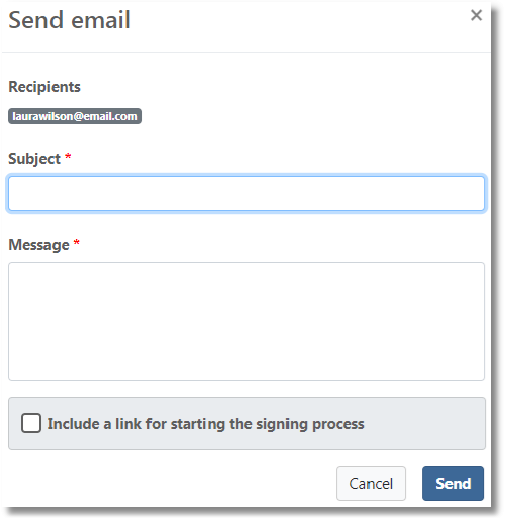
4.Confirm sending.