Kofax SignDoc Standard 2.1.0 - Online Help
Void, delete and archive signing packages
Besides viewing the details of a package SignDoc Standard offers additional features for handling signing packages by a user.
Note Not every action is available in each status of a signing package.
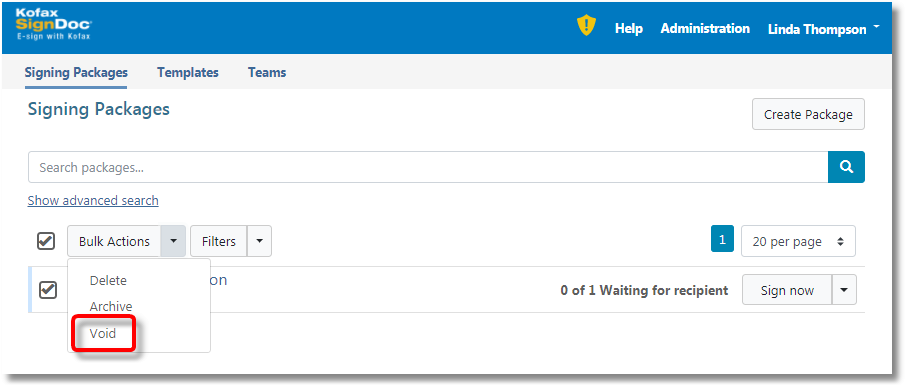
A user, which has access to a signing package, can cancel the package as long as it is not completed. It is possible to void a set of signing packages in Signing Packages view:
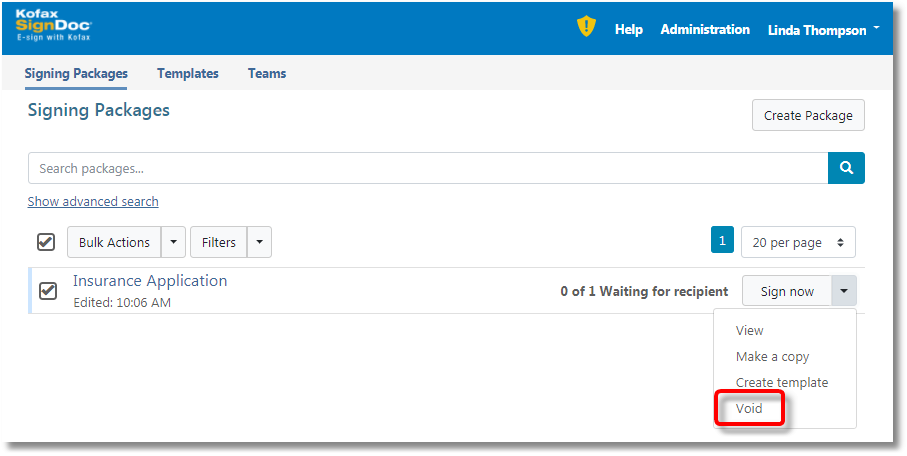
Or void a single signing package in Signing packages view:
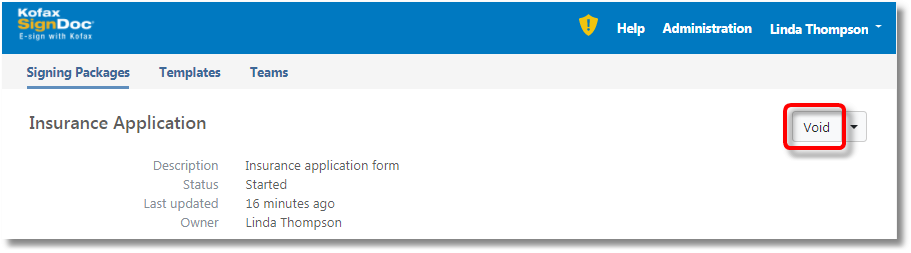
Or void a single signing package in Package Details view:
By clicking the Void button the following confirmation dialog is displayed:
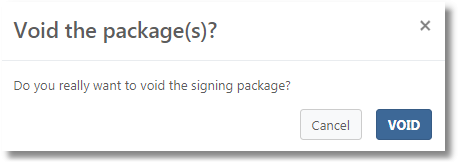
If the user confirms the signing package(s) is (are) voided. Once a signing package is voided, recipients can no longer view or sign the signing package and it cannot be deleted from the system. Recipients are notified by SignDoc Standard.
Delete a signing package
A user, which has access to a signing package, can delete the package when it is completed. It can be done in Signing Packages and Package Details views (see Void a signing package).
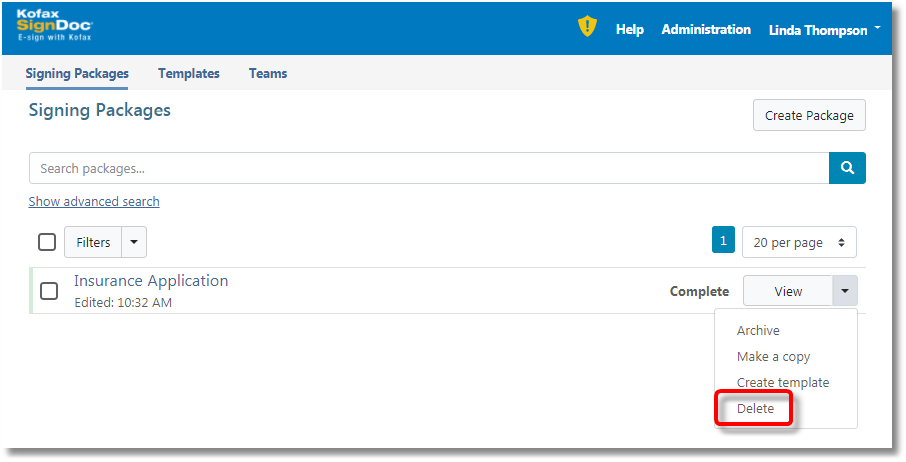
Before deletion the following confirmation message box is displayed:
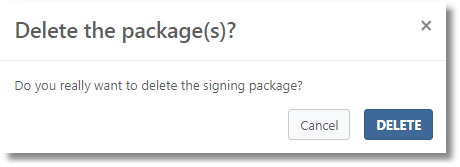
If the user confirms the signing package is removed from the system.
Archive a signing package
A user, which has access to a signing package, can archive a signing package when it is completed. It can be done in Signing Packages and Package Details views (see Void a signing package).
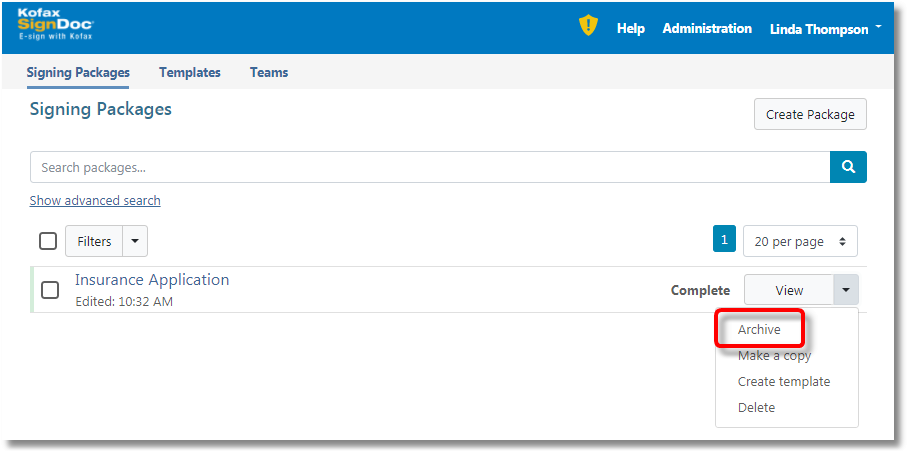
Before archiving a confirmation dialog is displayed. If the user confirms the signing package is archived by the system.
Note Archived signing packages are filtered out in Signing Packages table by default.