
Page break
Use this option to insert a page break between attachments, text boxes, or signature marks in a message.
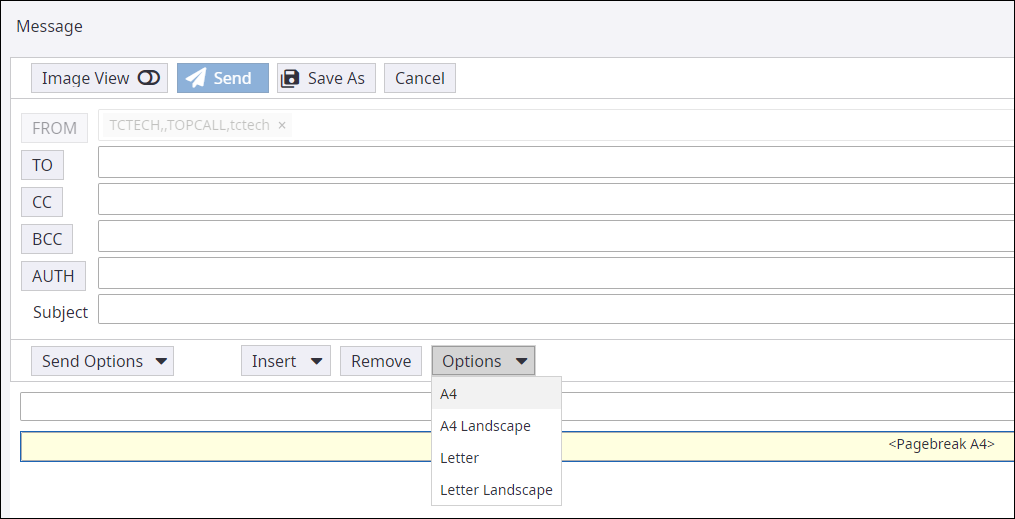
On the Message screen, do the following:
- To insert a page break, click .
- To set page orientation, click Options and select the required orientation.
- To delete a page break, select the page break and click Remove.