Assign access permissions for capture actions
You can assign access permissions to one or more resources to permit or restrict access to each capture action within a capture composite control. By default, a resource does not have permissions to perform capture actions.
-
On the
Home page, click
System Settings.
The System Settings page appears.
-
In the
Access Permissions group,
click
Capture.
The Access Permissions - Capture page appears.
- In the Resource box, consume the resource or group whom to give access permissions.
-
Click
Yes to allow permissions
for the following actions:
-
Reject Documents: To reject documents if the fields are not valid, for example, if the image is smudged and illegible or the value on the image is not valid.
-
Reject Pages: To reject the pages of a document.
-
Add Folder: To add folders.
-
Delete Documents: To delete a document, that was scanned in error, is no longer required, or is a duplicate.
-
Delete Pages: To delete a page, that was scanned in error, is no longer required, or is a duplicate.
-
Delete Folders: To delete a folder that is no longer required, or is a duplicate.
-
Change Document Type: To change the type of document.
-
Rotate Pages: To permanently rotate the pages of a document.
-
Annotations: To maintain document annotations.
-
Online Learning: To select documents for Online Learning.
Note The Online Learning is a mechanism to better find and extract content on a page of a document. Dynamically trained content is added to a dynamic knowledge base, until it is finally reviewed and published to a published (static) knowledge base. The Online Learning option only applies to a Validation activity. -
Override Problems: To override a field if it cannot be corrected or correcting it can be time consuming.
-
All Other Batch-Editing Operations: To perform general functions such as moving pages, documents and folders.
-
Split Documents: To move a variable number of pages from an existing document into a new document. When documents are scanned using duplex mode, TotalAgility tries to keep the front and back image of a single paper together.
You should have permission to split a document otherwise it will prevent from splitting the front or back pages of the document.
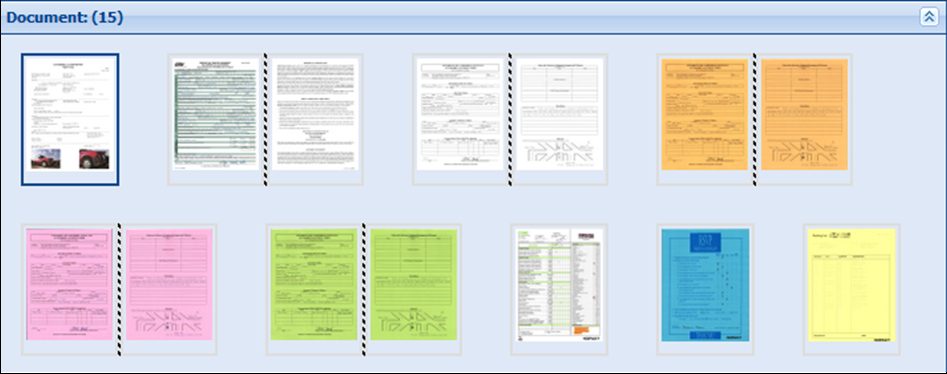
-
Split On Back Page: To separate the back page of a duplex page pair and place it in a new document. Once split, both the front and back page of a duplex page pair appear as a normal simplex page.
You should have permission to split a document on back page otherwise it will prevent from splitting of the back pages.
-
Merge Documents: To merge two or more different documents.
Note When you upgrade TotalAgility, Merge Documents permission is enabled only if All Other Batch-Editing Operations permission is set to yes. -
Create Documents and Pages: To create and copy documents and pages using the CaptureDocumentService SDK.
-
Modify/Read Documents: To modify and add documents, pages, update fields for folder or document using CaptureDocumentService SDK. Also, to allow SDK users to read capture data such as, retrieving documents, document fields, images etc.
-
Confirm Fields: To perform validation and change the document or folder field status using CaptureDocumentService SDK.
-
-
Click
Add
 .
.