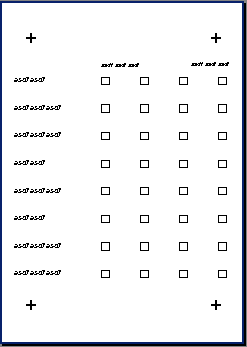
There are four identical adjustment fields on this form, each the same distance from the edges. Therefore, a form that is placed in the scanner upside down may be identified incorrectly. The job description option Identify rotated forms, in particular, can cause problems.
Even if only three adjustment fields are in correct positions when the form is rotated 180 degrees, it can be a problem because FORMS allows for lost adjustment fields.
You can almost always prevent symmetry when you define adjustment fields, because many types of objects and intersections of lines can be used.
If symmetry is unavoidable, adding a recognition field to the form can prevent problems.