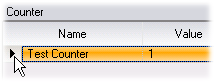
The Manage Counter dialog
 To
access this dialog:
To
access this dialog:Use these settings to add and configure or delete counters:
pane | Lists the available clients and processes. Counters can be added at the global, client, or process level. |
pane | Lists the available counters, their names, and their values. To add a new counter, click . The dialog is displayed. To delete a counter, select it like this:
... and then click the minus button:
|