Deleting counters
Using the XBOUND Management Center, open a console containing the Process Designer.
Select > . The dialog is displayed.
Under , select where the counter was configured to be available.
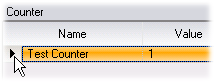
When the counter appears in the list in the right pane, select it like this:
Press on your keyboard or click the minus button:

Adding and configuring a counter