
File menu
The File menu has the following menu items:
| New (Ctrl+N) | Creates a new template library. |
| Open... (Ctrl+O) | Brings up a Windows file Open dialog box to select a TemplateEditor Library File (*.tlz). |
| Save (Ctrl+S) | Brings up a Windows file Save As dialog box to save a template as a TemplateEditor Library File (*.tlz). |
| Save as... (Ctrl+Shift+S) | Brings up a Windows file Save As dialog box to save a template as a TemplateEditor Library File (*.tlz). |
| Close (Ctrl+W) | Closes the currently open active template library |
| Export... (Ctrl+E) | Brings up a Windows file Save As dialog box to save a template as a Form Template Library File (*.ftl). |
| Add... | This option is selected by default. It provides three options for adding: |
| Recent | Opens the Recent Documents window listing the available templates, see Figure 1. |
| Help (F1) | Opens the help panel of the application, see Figure 2. |
| Options (Ctrl+T) | Opens the Options dialog, see Figure 3. |
| Exit | Exits the application. |
Recent Documents
The Recent Documents window has the following columns:
| Library | Name of the recently opened template library |
| File | Name of the template library file |
| Location | The full path of the recently used template library |
| Templates | Number of templates in the library |
| Created | Creation date of the recently used template library |
| Last modified | Modification date of the recently used template library |
Form Template Editor help panel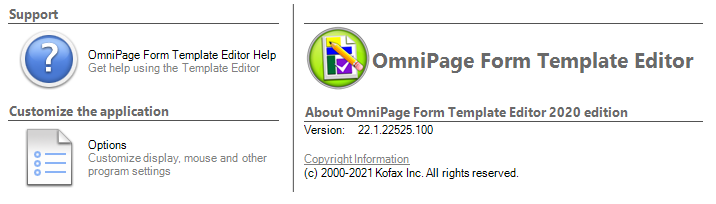
Options dialog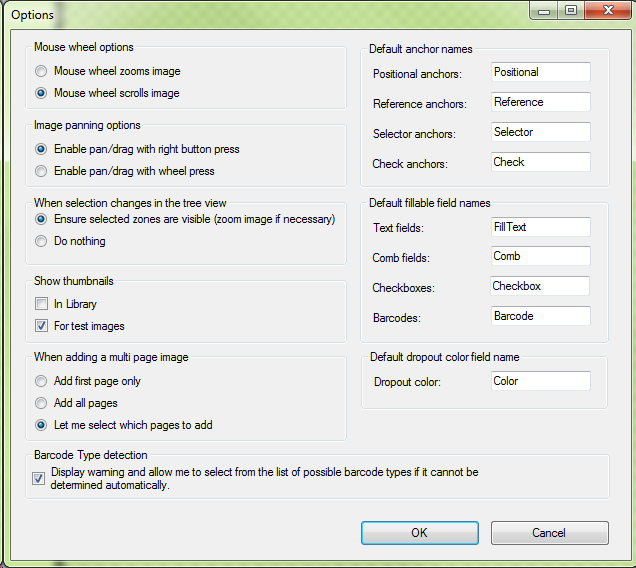
For detailed description of the options, see Options.