Export project settings
Use this option to export Admin Console project settings in an XML file format. You may need it, for example, when you create a new server and a new Admin database and you need to transfer the administrator settings.
-
Navigate to
.
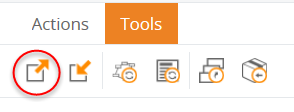
The Export global data window appears.
-
Select the
Admin Console
documents to export, or select the
Check all check box to
select all of them, and then click
Export.
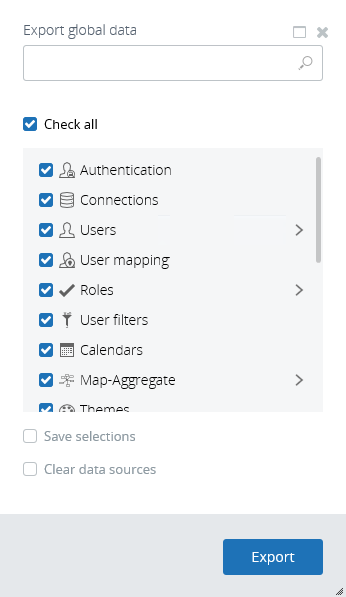
Note Select the Clear data sources check box to exclude the paths to the data sources from the exported file. When the user imports this project, the data sources must be specified.Note If you select the Save selections check box, the selected documents are overwritten if the import is performed using a Command Prompt window. See Overwrite saved selections. If the import is performed through the Insight interface or a batch file, the check box has no effect. -
Click
OK to clear the message
confirming successful data export.
An XML file is downloaded with the file name ExportAdminDatabase.xml. The file is saved to the default download directory for your browser.