
Delegate a signing session
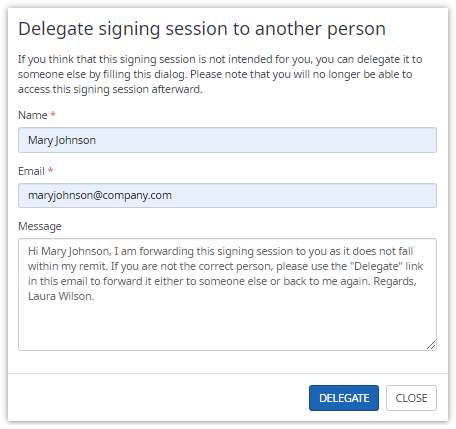
If delegation is enabled for a recipient, the recipient can delegate the signing session to another person at any time. The recipient has to provide the name and the email of the person to whom the signing session should be delegated.
An optional message can be entered which will be displayed in the signing invitation email of the new recipient. If
configured a default message is displayed which includes the name of the current recipient and the name of the person the recipient
typed in this dialog. The default message is displayed when the recipient starts to type in the "Name".
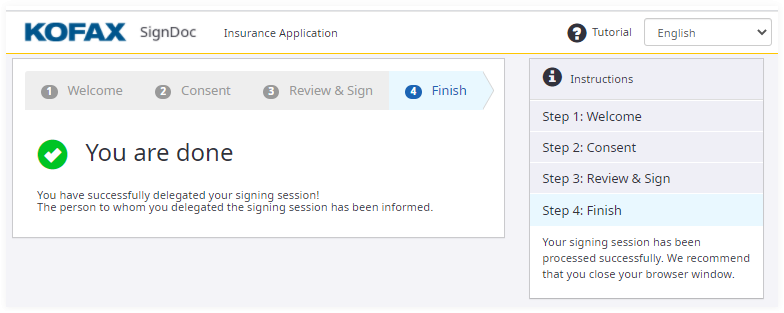
The signing session for the recipient is closed and the recipient is redirected to the
Finish page. The recipient sees a message that the signing session has been
delegated, and the delegated person has been informed.
The person to whom the signing session is delegated receives a signing invitation email. This email includes the message
which the recipient typed in before.
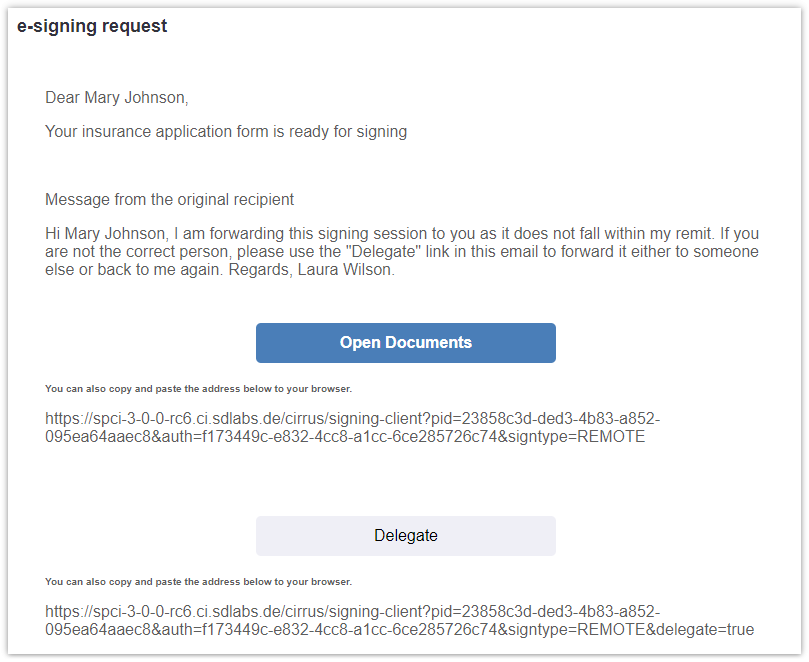
- If the recipient clicks on the Delegate link in the signing invitation email the delegation dialog is opened immediately after the recipient is authenticated.
- Once a signing session is delegated to another person the current recipient can't access the signing session anymore.
- When external authentication is used the dialog displays a first- and last name field instead of a single name field.
- The person to whom the signing session is delegated will also be able to delegate the signing session to another one.