
General enhancements
This topic describes the general enhancements in this release.
Rebranding
A new product logo is introduced on login pages, application headers, and emails to tenants to help differentiate TotalAgility from related products while maintaining the core brand identity.
Switching between design environments
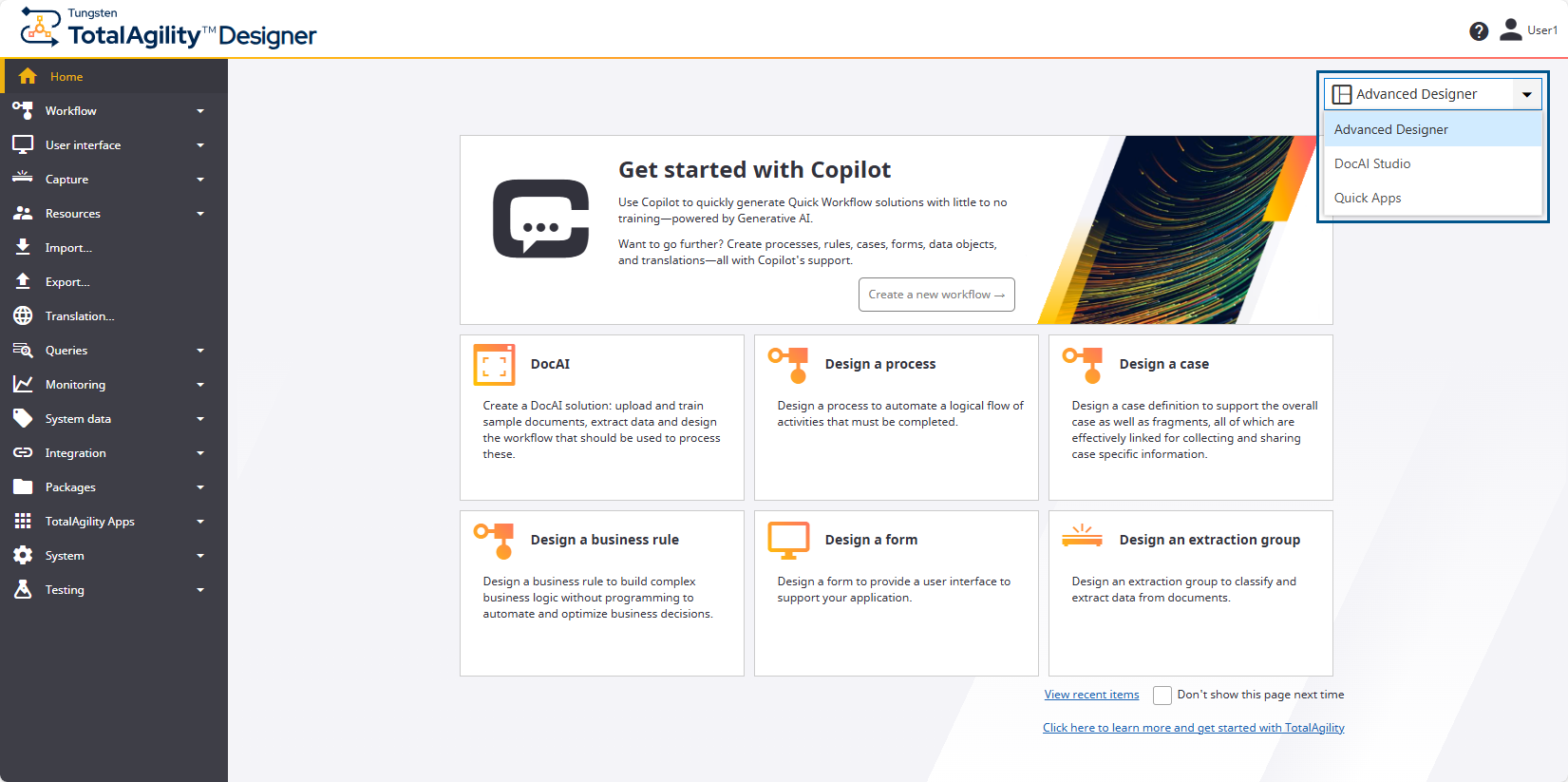
Switching between design environments (Advanced Designer, DocAI Studio, and Quick Apps) is now easier and more intuitive with a new menu at the top right of each home screen.
Configurable retrieval limit for the Designer list pages
When you have several items to retrieve, you can set the maximum number of items to display on a list page to improve performance. This applies to resource-related pages only.
Azure blob storage enhancements
Azure blob storage supports the following:
-
String-based data. You can access this data in Azure and perform further processing.
-
Configurable settings for the Azure blob storage retry policy in the database.
-
Exporting folder contents as individual blobs without requiring any additional process logic.
OAuth enhancements
-
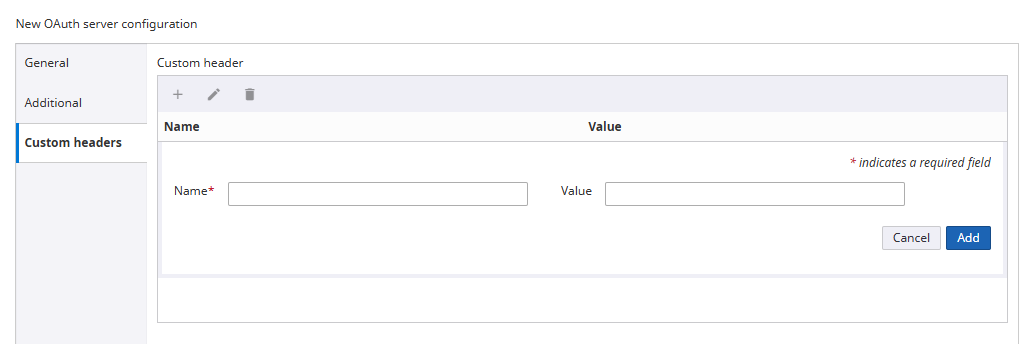
Custom headers to retrieve access tokens: You can add custom headers (as key-value pairs) to your OAuth 2.0 authentication requests. These headers are sent when requesting an access token from the OAuth server and used to pass additional metadata such as API versioning or tenant information.
-
Support for authentication and authorization to AI Providers: OAuth is ideal for modern, secure, and scalable applications where granular access control, user authentication, and token lifecycle management are important. While API keys are simpler, they come with significant security limitations. Therefore, to enhance authentication options for AI Providers, support for OAuth is added (in addition to the existing API key method) for both Azure OpenAI and ChatGPT OpenAI. When using OAuth, the system automatically retrieves an access token, passes it in the authorization header, and refreshes it based on the OAuth Server's specified refresh interval.
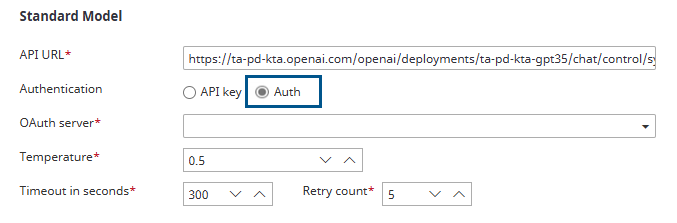
-
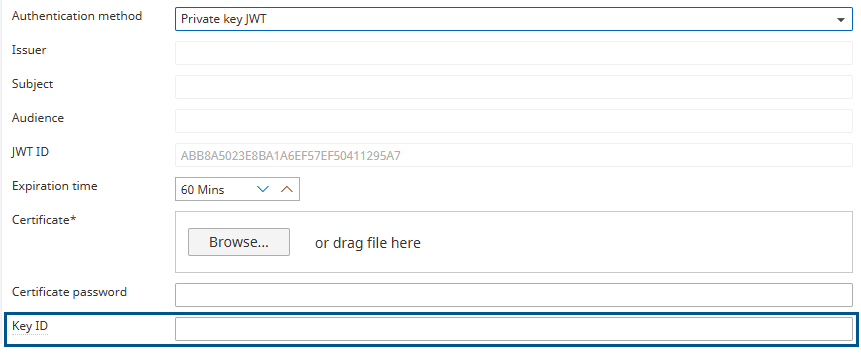
Key ID configuration when using private key JWT: When using an OAuth 2.0 Private key JWT, you can provide a Key ID. This ID allows the authentication server to efficiently select the correct public key for signature verification, especially when multiple keys or key rotation is involved.
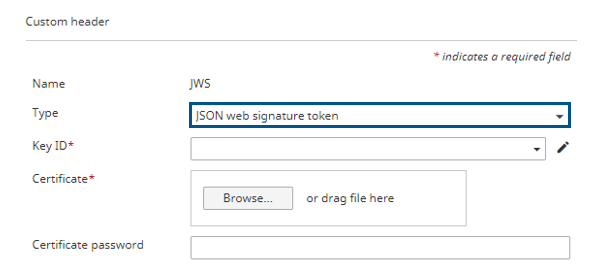
Support custom headers of type JSON Web Signature in RESTful activity
You can configure a custom header of type text or JSON Web Signature token in a RESTful service activity in TotalAgility.
JSON Web Signatures (JWS) help validate the authenticity and integrity of the contents of an API request or response, ensuring that calls between TotalAgility and other internal systems are secure.
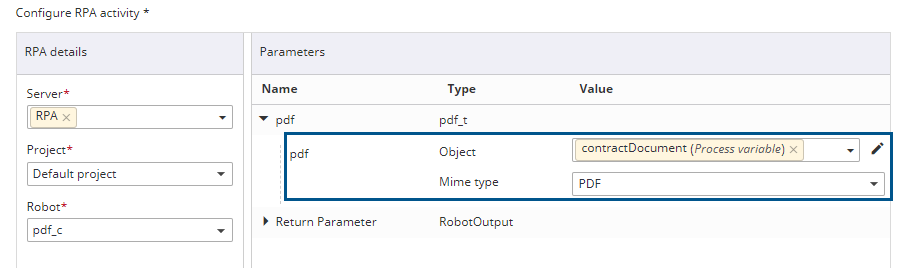
Support passing document variables to RPA for processing
The RPA activity supports passing a document to Tungsten RPA as binary data. At runtime, the document file data for the selected mime type is retrieved from the Capture repository and passed to RPA as a binary 64 string.
Combine all exposed items into one list
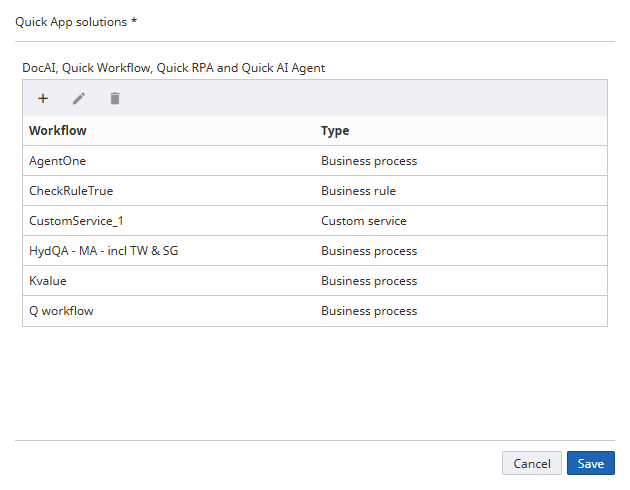
In Quick Apps, you can use processes, business rules, and custom services.
Previously, DocAI Studio (formerly Quick Capture) had a separate configuration dialog box. In this release, all items are combined into a single list, enabling them for use within Quick Apps.
See Enable workflow solutions for use within Quick Apps in the TotalAgility Designer Help.
Maintain context on a Multi-view form
When the Dashboard insights, Generative AI, and AI knowledge base are turned on for Copilot in the main form (Multi-view form), the chat window remains open, context is maintained, and queries continue to work, providing the optimal user experience.
Allow wildcard search with a Dropdown list control
The match type options available for a Choice field are also added to the Dropdown list control options to allow a wildcard search with this control. This option lets the user type a single character, and all items that contain that character appear as choices.
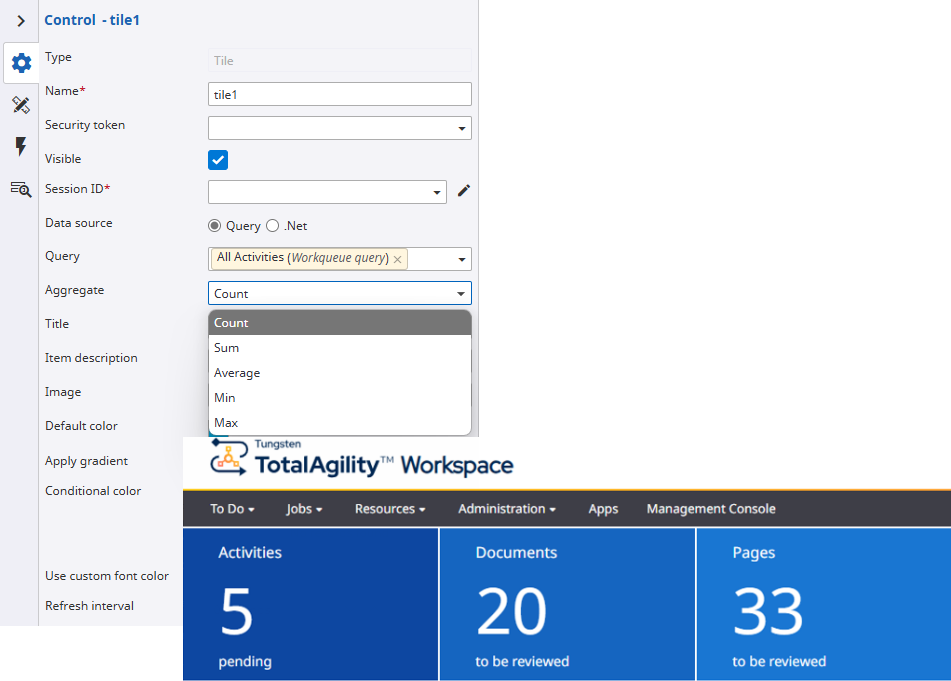
Aggregate options for tiles using a query
You can configure a Tile control to display Count, Minimum, Maximum, Average, or Sum values for key fields returned by queries. Refer to the Properties of a Tile control for more information on aggregate functions.
| Query type | Available fields |
|---|---|
| System | Time Pending, Time Spent, Document, Pages, and numeric work type fields |
| Work queue | Document, Pages, and numeric work type fields |
| Job list | Numeric work type fields only |
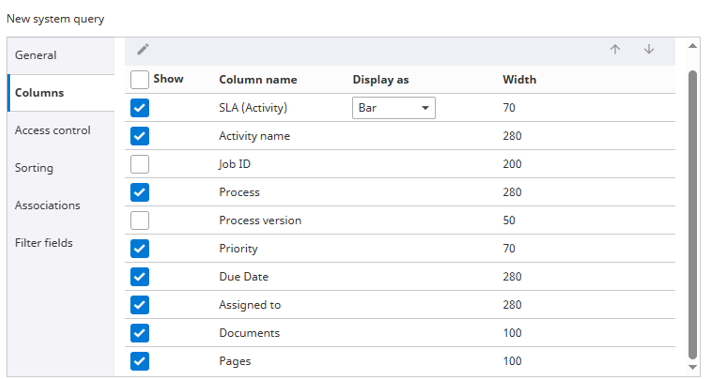
Display document and page count in queries
During capture processing, the system records the number of documents and pages at the folder or document level. These counts are stored in the database and associated with the relevant capture activity, whether in progress (live activity) or completed (job history and finished job history).
This data becomes accessible through Work queue and System query types via new options: Columns, Filter fields, and Sorting.

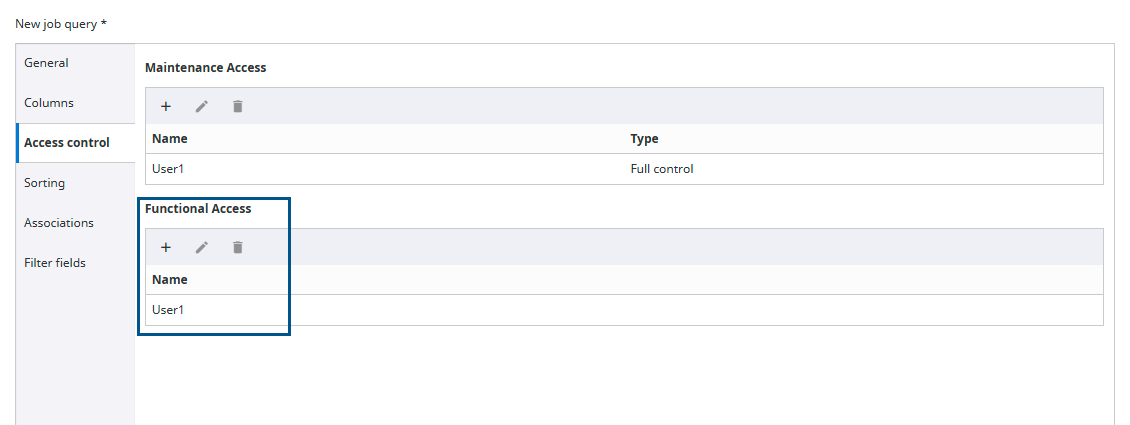
Permissions on queries
You can grant functional access separately from maintenance access on a query, so that when you grant full control, the Run permissions are not automatically granted.
Granting functional access separately ensures that queries are only available for resources who have permission to run them, avoiding unnecessary clutter in everyone's query list.
Record user/group access permission changes
Access permissions are typically controlled by assigning groups. TotalAgility now monitors log entries for access permission changes and group membership changes (such as users added or removed), so an audit trail is available for reference if any issues arise. The audit record is especially useful to organizations that maintain multiple user groups.
Installer logging improvements
The TotalAgility installer logging improvements include:
- Continuous verbose logging (recording as the installer runs) with additional context in the log before or after any error.
- Logging for the following
TotalAgility
components via their respective MSI installers (or patches):
-
Reporting
-
Licensing
-
Message Connector
-
-
Enabling all the following logs by default and saving them at the same location (C:\ProgramData\Tungsten \InstallationLogs):
- TungstenTotalAgilityTMSInstallLog.txt (Tenant Management System log file)
- TotalAgilityUpgradeArtifactsLog.txt (Upgrade database log file)
- LicenseServerServiceInstallLog.txt (License server log file)
- ReportingServerServiceInstallLog.txt (Reporting server log file)
- MessageConnectorInstallLog.txt (Message Connector log file)
The Transformation Server errors are written to the event log as per earlier product versions.
Improved consolidated logging
The consolidated logging contains the tenant's name for on-premise multi-tenant and Azure systems to facilitate the extraction of relevant entries when troubleshooting.
Other enhancements
-
Enhanced access control in DataAccessService: An additional authorization check is added in DataAccessService to ensure the user executing the method has Designer ACL access.
-
Provider logout request: When logging out of the Federated provider, TotalAgility sends a LogoutRequest SAML request according to SAML specifications, including the NameId property to correctly identify the person to log out.
-
Display error: A message is displayed if the Core Worker is not running when using Copilot within the TotalAgility Designer.