
How to force validation
Universal Document Automation is designed to facilitate straight-through processing without the need to stop for validation. If you want your documents to stop for validation, here is one method to do so:
-
Add an index field to the Universal document type.
You can name this field anything; for this tutorial, we named it "Stop".
-
In the
Additional Configurations column, select the
Force Validation check box.
Select the Hidden check box if you want to hide this field from showing on the Validation screen.
-
Click
Apply.
This is an example of using the "Stop" index field to force validation (without the Hidden check box selected):
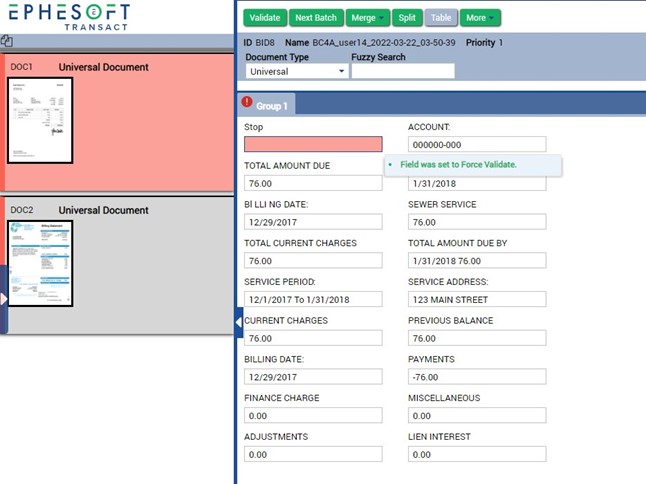
- To force table validation, configure the SRE_TABLE_EXTRACTION plugin option OCR Confidence Threshold and set to 100 or an acceptable value that meets requirements.