Add multiple levels for column headers in grids
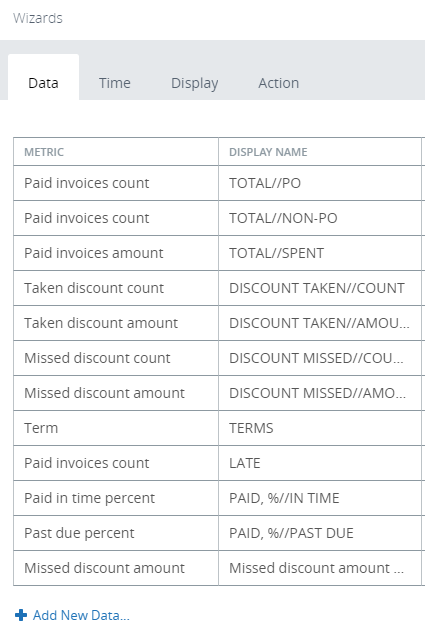
To add two levels in the grid header, use the // symbol in the Display name in the Data wizard to distinguish one level from another.
- Open the Data wizard of the grid.
- Click Add New Data and select another series.
- In the
Display Name, specify the
name for the first level, then add // and the name for the second level.
- Click OK and open the View in the Preview/Viewer.
