
Getting information
To get more information about a server, select the server and do one of the following:
- Select Server > Statistics from the menu.
- Click the Statistics button on the toolbar.
- Right click on the server to show the popup menu and select Statistics.
The statistics dialog will now show:
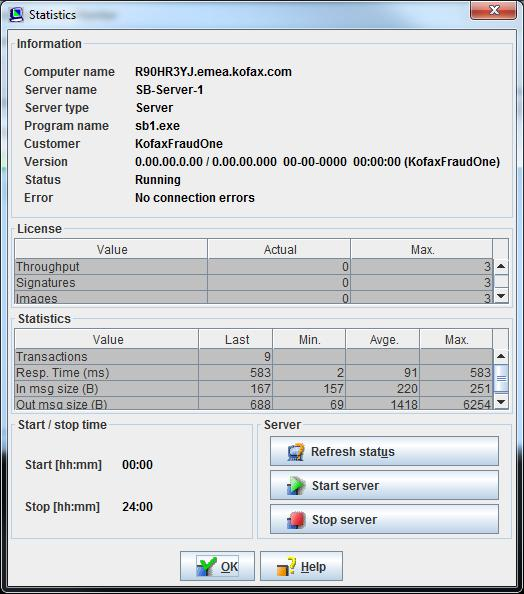
The dialog will display information about:
| Information | Information about this server like: computer, server name and type, status, etc. |
| License | License information for this server: SignCheck throughput, number of signatures and account images. |
| Statistics | Transaction statistics like: message sizes, response times, etc. |
| Start/stop time | Start and stop times set in the Server Manager. |
| Server actions |
Here you can send requests to the server:
|