Toolbar
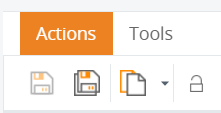
Use the toolbar to perform the operations described in the
tables.
|
Icon |
Function | Description |
|---|---|---|

|
Save |
Saves changes for the currently open document. |

|
Save all |
Saves all the changes for all open documents. |

|
Recent items |
Opens a drop-down list with recently opened documents. |

|
Refresh editor |
Refreshes the document. |

|
Change password |
Opens a screen where you update the password for logging into Themes and Formats. Available only to users who are assigned rights to change passwords. |
|
Icon |
Function | Description |
|---|---|---|

|
Export |
Export the contents in a file. |

|
Import |
Starts the import procedure. |

|
Fonts |
Opens an editor to define custom fonts. |