
Introduction to Sign2Phone
Smartphone as pad alternative
- Sign2Phone is an App which can be installed on your smartphone.
- It turns your smartphone into a signature capture device.
- The signing application running on your computer detects the smartphone as capture device.
- The connection from smartphone to the computer is protected via Transport Layer Security (TLS) and unique pairing code.
- The Sign2Phone App supports an iPhone and works with SignDoc.
How it works - Overview
- The Sign2Phone app is available from the Apple App Store and Google Play Store store and must be installed on the mobile device.
- The app is started on the device by touching the Sign2Phone icon.
- The app is "paired" with the SignDoc application via the network.
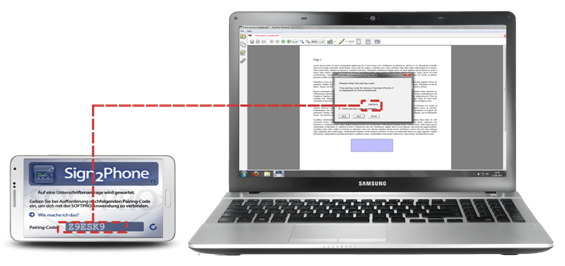
- While the app is open, clicking on a signature field within the SignDoc application will initiate a signature capture
dialog.
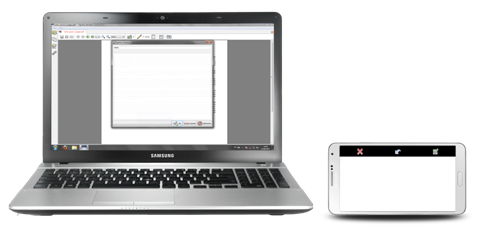
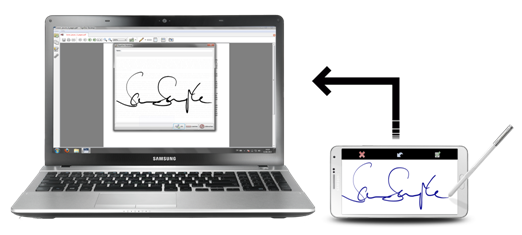
- The signature is captured and transmitted in real-time to the application which places it in the document being
signed.
Sign2Phone connectivity
- In order for Sign2Phone to work, network connectivity is required between the computer where the signature is captured and the mobile device.
- This connectivity is achieved via WiFi i.e. both the computer and the mobile device reside on the same network.
- Alternatively, a mobile network can be created and connectivity can be achieved via USB Cable whereby the mobile device must have the mobile personal hotspot functionality enabled.