
Sample Request Builder
SignDoc Web delivers the SignDoc Web Request Builder page, that gives a user the possibility to create documents by loading the PDF documents into the browser window.
The same Request Builder page offers also the possibility to use additional options for creating the new documents, for example to create the document with some specific Document ID.
The general syntax to start the SignDoc Web Request Builder is:
http://<server>:<port>/sdweb
Example
http.//localhost:8080/sdweb
The browser window will be started and the SignDoc Web Request Builder page will be opened: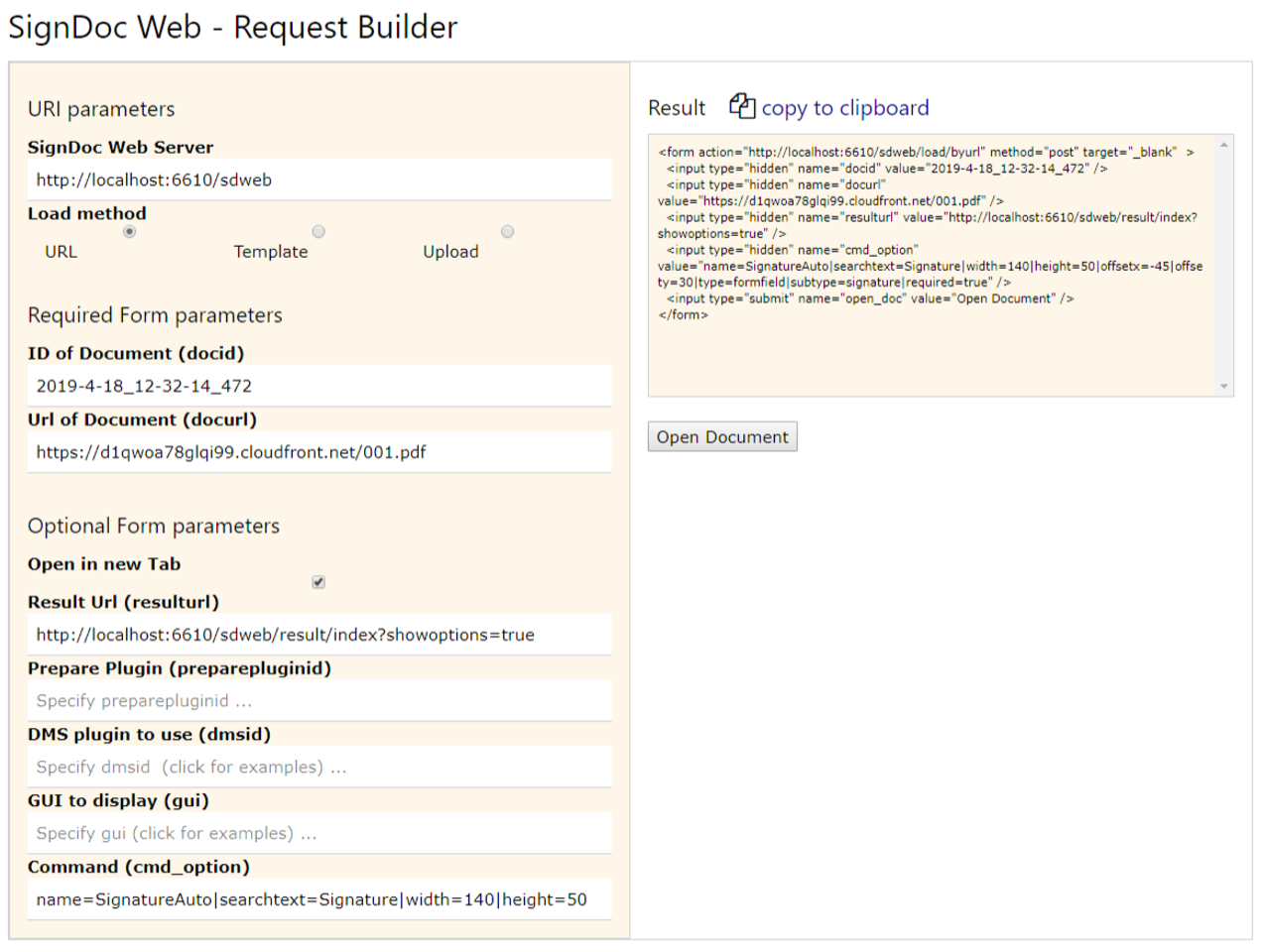
General
The Request Builder helps the user to create valid SignDoc Web requests that open a document for e-Signature. The request is presented in the Result Pane and can be used as a template for integration in a web application.
Result Pane
Whenever the user changed the request parameters in the left panel the result pane will update its content. The result pane shows the request as HTML form request that used as a template in a separate web application for opening documents. This is a major improvement compared with previous SignDoc Web versions (i.e. before SignDoc Web 2.2.0).