
Soft prompts and mandatory fields
Soft prompts
Besides wizards SignDoc uses soft prompts to inform about the provided data completeness.
If some important data is missed, then a red soft prompt is displayed.
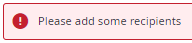
A green soft prompt informs about successful step completion.

Warning alerts are displayed with a yellow soft prompt.

A blue soft prompt provides the users with the information they need.

Mandatory fields
Fields with a red asterisk are mandatory.
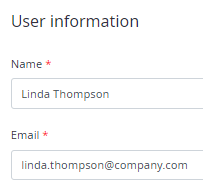
User input is validated as it is entered. Invalid entries are indicated in red.
