
Login
The User ID and Password must be entered in the Login dialog.
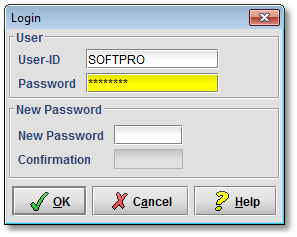
User
- User ID
By default, the User-ID must consist of a minimum of one and a maximum of 16 characters. These settings are configurable.
- Password
By default, the Password must consist of a minimum of six and a maximum of 16 characters; one of them must be a numeric character (0-9). These settings are configurable.
New Password
- New Password
To change the password, the new one must be entered in the New Password field
- Confirmation
The new password must be confirmed by repeating its entry in the Confirmation field.
This new password must then be provided by the user to log on in future.
The password should not be the same as the
User-ID.