
Payee name view
In the Payee Name view the user can maintain the list of suspect payee names.
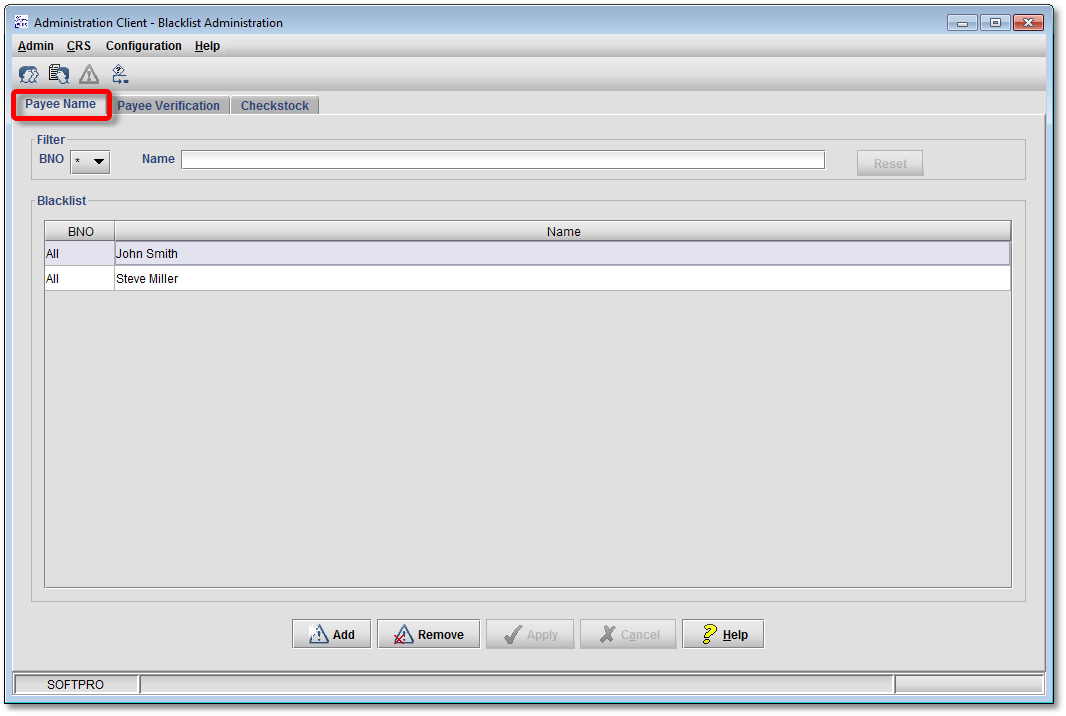
To create a new entry click Add and fill in the payee’s name in the newly created line. Press Enter to accept the payee’s name and leave the line edit mode.
In order to Edit an existing entry just double click the corresponding line, change the payee’s name and accept the changes by pressing Enter.
If you want to delete the selected entry, click Remove.
To store all changes in the database, click Apply. Throw away all changes that are not saved yet by clicking Cancel.
The list of payee names can be filtered by name. To do so, enter a payee name in the Name field of the Filter section. If you don’t want to use a filter on the list of payee names, leave the Name field empty.
To sort the displayed payee names, click on the Name header column. The names can be sort in ascending and descending alphabetical order.