
Management Console enhancements
The following enhancements are available for Management Console.
User interface enhancements
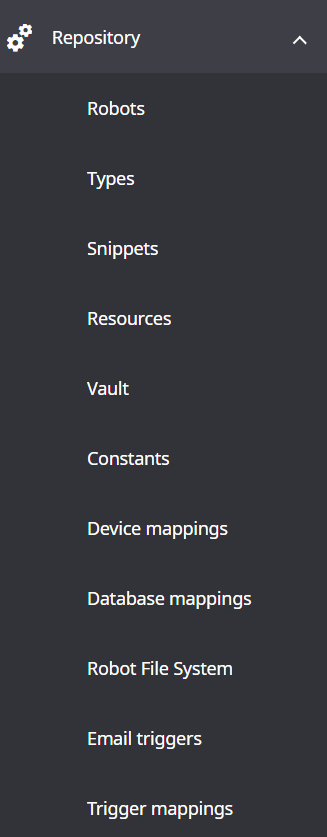
- Repository updated
-
The section is updated and reorganized. The two new menus Vault and Constants are added. OAuth and Password store are now part of the Vault.
- Projects filter added
-
In , a Projects filter is added. Also, you can filter OAuth clients by target system and by label.

- Optional columns for Robot access
-
In , the Last modified and Modified by columns are added.
- Add project dialog rearranged
-
In , the Add project dialog is rearranged.
The Service Cluster and Use only Service Cluster in project options are now on the Basic tab.
The Service tab is renamed to REST.
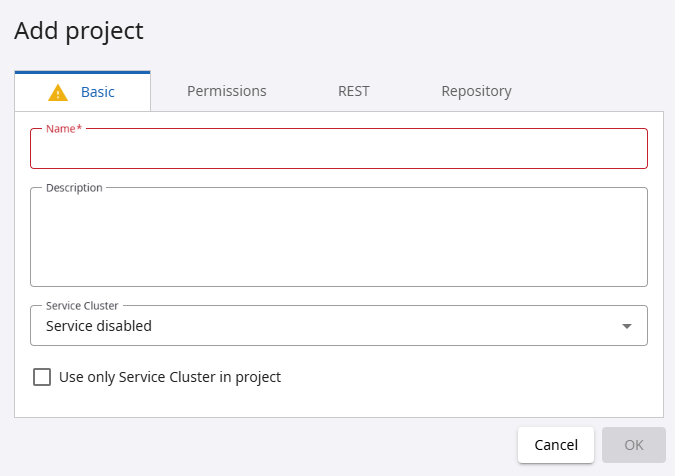
Refer to Projects in the Tungsten RPA Help.
- Import project dialog updated
-
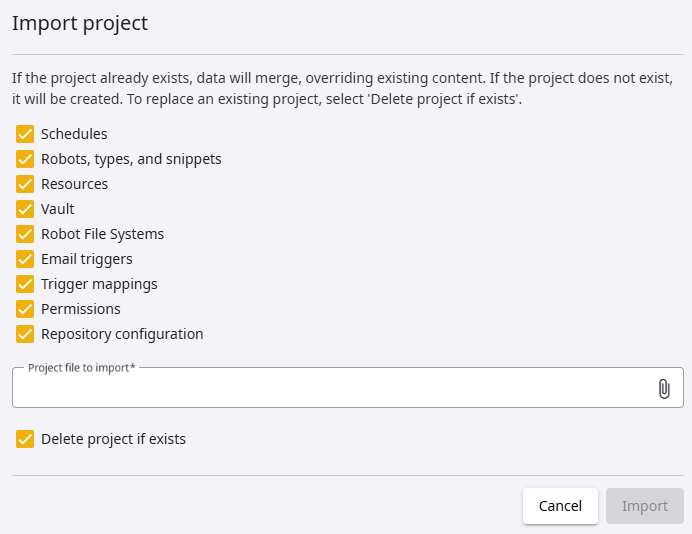
In , the Import project dialog is updated. "OAuth" is replaced with the Vault and the Repository configuration is added.
Delete project if exists is now selected by default.
- Settings updated
-
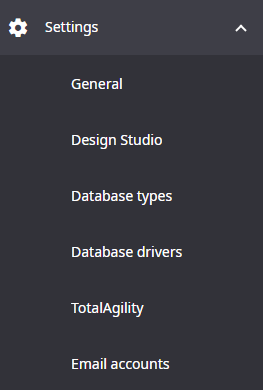
In , the Process Discovery Analyzer and Process Discovery groups sections are now hidden by default. To enable them, set the processDiscoveryConfig property in the Configuration.xml file to true.
The "KTA configurations" menu is renamed to TotalAgility.
- Pagination
-
In Items per page, you can now select to display 10, 25, 500, or 100 items.
Upload multiple Robots, Types, Snippets, and Resources
In , it is now possible to upload multiple Robots, Types, Snippets, and Resources. Click the paper clip sign, select one or multiple files to upload, and click Open.
Override Basic Engine Robots
In
,
when moving Basic Engine Robots between folders, it is now possible to override robots that have the same name. To do so, in the
Set folder window, select
Override if exists.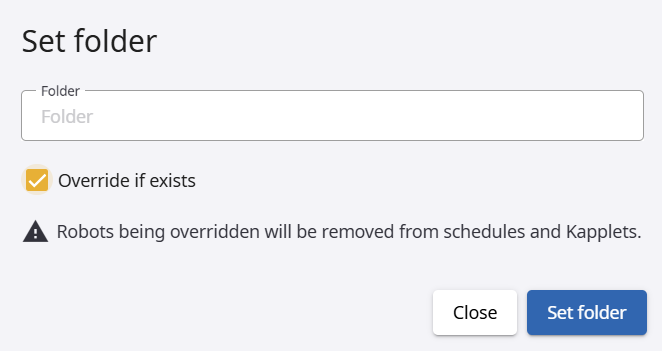
Test button for Robot File System
In , a Test button is added to test the current Robot File System configuration.
User API key
In User menu, the "User API tokens" menu is renamed to User API keys.
The "Create a token" button is renamed to Create an API key.
"Design Studio execution token" is renamed to Design Studio API key.
It is now possible to set an expiration interval for the key.
You can select a given value from the list (default is 180 days), set a custom expiration duration in days, or set the key to never expire.
When restoring Management Console from previous version, the imported User API keys acquire a default expiration period of 6 months. Design Studio API key never expires.
We strongly recommend updating your applications that use Management Console REST APIs to include User API keys in the requests for authentication and authorization.
Also, /rest/run endpoints support authorization using User API keys.
Refer to User API keys in the Tungsten RPA Help.
SAML Single Sign-On configuration updates
For Management Console, configure the pre-login page with the Log in with SSO button, informing the user to log in to the SSO provider.
In the saml.xml file, located in the \WEB-INF\spring folder, set the new useSamlLoginLandingPage property to true. By default, it is set to false.
For Docker deployment, configure the SAML_IDP_USERNAME_REGEX and SAML_IDP_USELOGINLANDINGPAGE environment variables.
Refer to "SAML Single Sign-On integration" in the Tungsten RPA Administrator's Guide and README.md file.
Add licenses as files in Docker
To add licences as files in Docker, use the following environment variables:
- CONFIG_LICENSE_PRODUCTIONKEY_FILE
-
CONFIG_LICENSE_NONPRODUCTIONKEY_FILE
-
CONFIG_LICENSESERVER_LICENSEAPIKEY_FILE
Refer to the README.md file.
Value in Connection URL template increased
In , the supported value in the Connection URL template box is increased to 1024 characters.