
File menu
The File menu includes the following menu items:
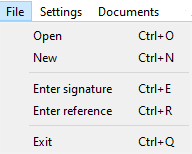
Open
Click this menu item to load a signature from a file. The signature is displayed in a signature container and can be processed with the implemented analysis methods.
New
This menu item creates an empty signature container. You can fill this container with a copy of a signature from another container using Copy & Paste and process this signature with the implemented analysis methods.
Enter signature
With this menu you can use a tablet to enter a signature.
Enter reference
With this menu you can use a tablet to enter a reference signature.
Exit
Use this menu item to close the program.