
Configure Capture Plug-In
To access Capture Plug-In, on a Tungsten Capture Network Server remote site, go to .
Alternatively, on other Tungsten Capture installations, in the Tungsten Capture Administration module, select .
The Capture Plug-In window opens.
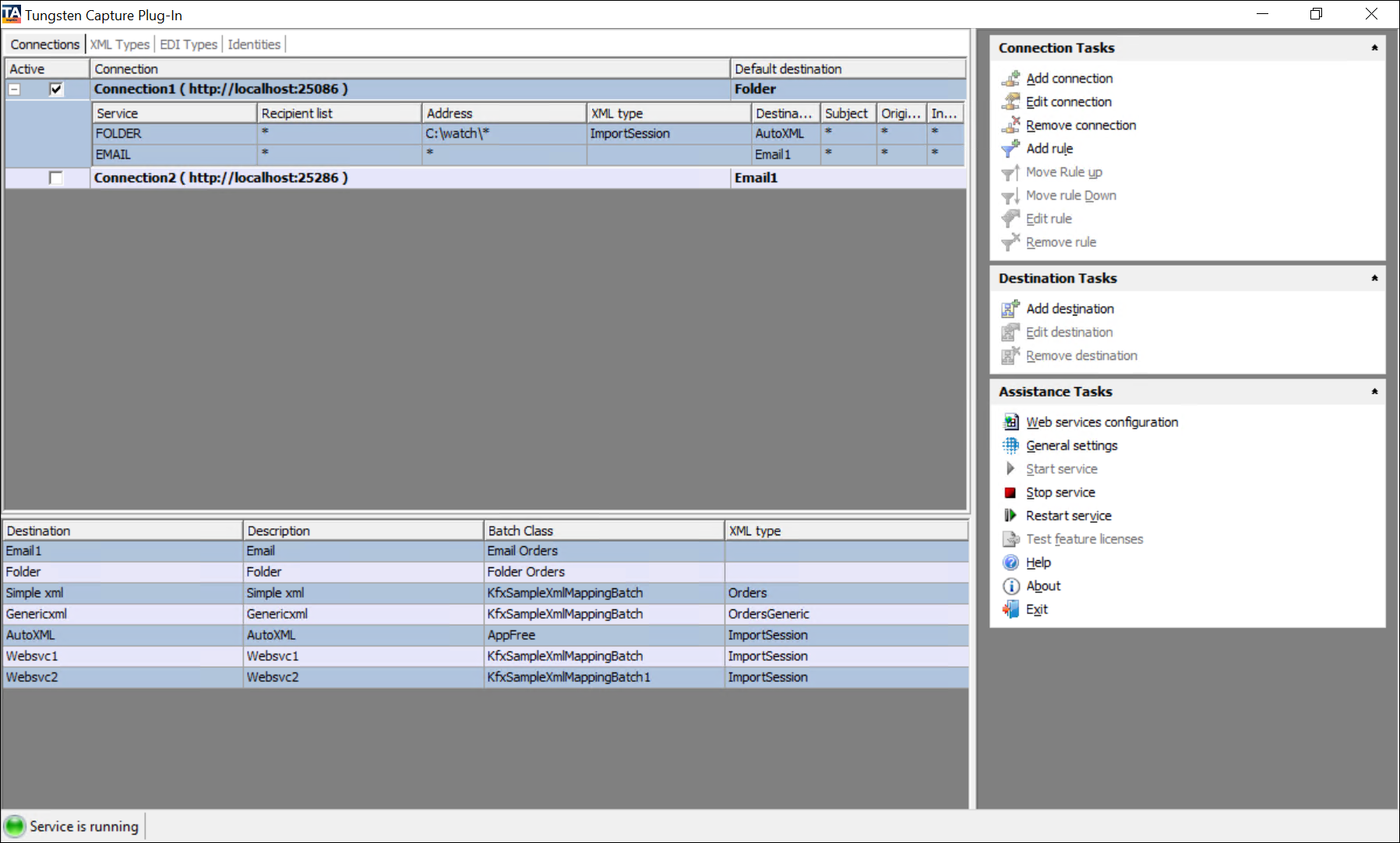
Use the Capture Plug-In window to manage the following tasks:
-
Manage connections to Message Connector.
-
Manage destinations that define how Tungsten Capture should handle imported files and messages.
-
Manage assistance tasks such as configuring web services, general settings, and starting and stopping services.
-
Manage XML types to identify XML documents with a particular namespace and root element.
-
Manage EDI types to identify EDI documents with a particular namespace and root element (EDIFACT and X.12).
-
Manage rules to specify the destination to be used (by Tungsten Capture) for specific type of documents or documents from a particular source.
How to: