
General enhancements
TotalAgility includes the following general enhancements.
Streamlined 'Studio' naming across the TotalAgility Platform
To simplify navigation, the TotalAgility design environments are now aligned under a consistent "Studio" naming:
- DocAI DocAI Studio
- Tungsten TotalAgility Designer Tungsten TotalAgility Advanced Studio
- Tungsten TotalAgility Apps Tungsten TotalAgility Studio
Renamed design environments provide a clearer, more consistent experience when building, configuring, or managing workflows and document intelligence projects.
The references to "Quick" in Quick Workflow, Quick Classification, Quick RPA, Quick AI Agent, Quick Rules, and Quick Skins have been removed.
Trace Logging for individual tenants
The Trace Logging option is added to the Tenant Management System to configure output and logging settings for each tenant. These settings reduce overall log volume and help you troubleshoot specific tenants.
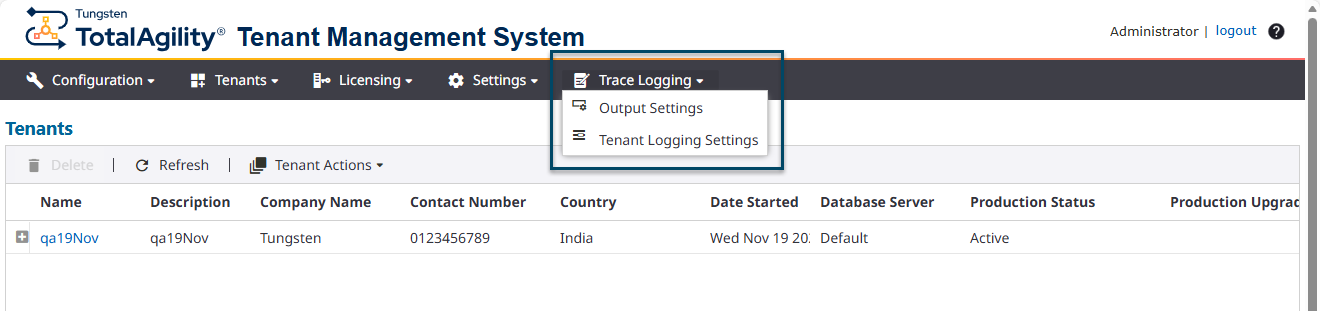
For details, refer to Manage trace logging in the Tenant Management System Help.
OAuth support for SMTP
Microsoft no longer supports basic authentication for SMTP servers such as Exchange Online. The Tenant Management System now supports OAuth authentication for SMTP, replacing the deprecated basic authentication.
View certificate button
You can view certificate details in sections where certificates are added to their configuration, such as
"JSON web signature token" in
TotalAgility Advanced Studio.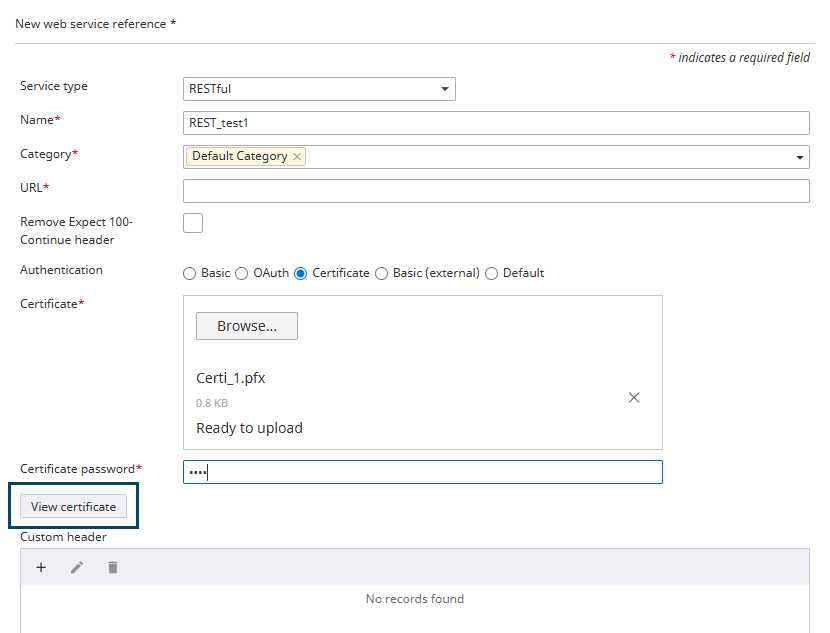
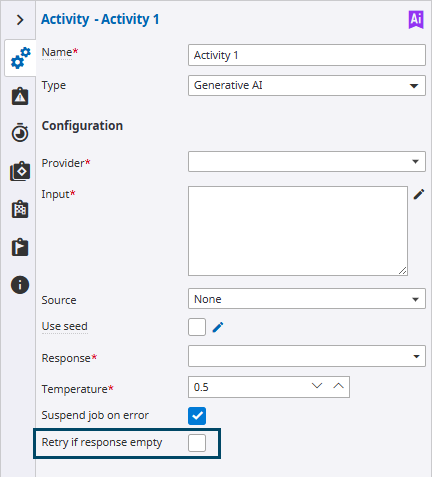
Retry generative AI calls if response is empty
A small percentage of generative AI calls sometimes return an empty result that may affect downstream processes. The Retry if response empty option ensures that the "Generative AI" activity automatically retries the call whenever an empty response is received during execution, preventing empty responses from being accepted.
Support for Document variable
You can use a Document variable in the Classification activity in Advanced Studio, TotalAgility Studio-Workflow, and DocAI Studio to supply a document to your process and classify it.
Support for 'Data model' variables in skin rules
Support is added for "Data model" variable fields to be used in skin rules.
Retain original fonts on document generation
When generating Word documents, original fonts (including Code 39 Barcode fonts) are maintained in the document template.
Security enhancements to file uploads
The new Require session ID system setting enables the validation of user sessions before a file can be uploaded to the TotalAgility database, thereby enforcing authentication and enhancing security.
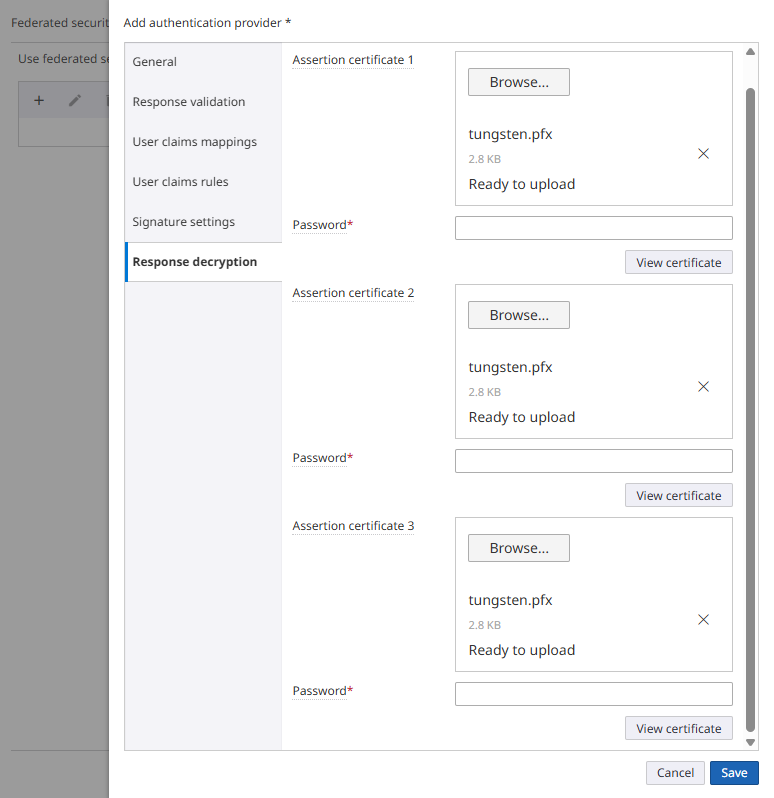
Federated Security support for encrypted SAML response
Federated Security supports encrypted SAML responses when processing user logons.
You can decrypt encrypted SAML assertions using up to three assertion certificates.
Audit log entries for Federated security logins
The Resources - Group Modified audit log category is now also applied to the Federated Security logon; resource groups can be modified based on the user claims.
Exclude 'Expect: 100-Continue' HTTP header
The new Remove Expect 100-Continue header option in web service references allows you to exclude the Expect: 100-Continue header from RESTful API POST calls, preventing potential "500 Server Error" responses on servers that do not support this header.
Enhance AD sync to use additional attributes for resource name
Previously, AD synchronization always used the AD attribute "Display name" as the resource "Full Name" in TotalAgility.
The new "AD_DISPLAYNAME_FIELD" server variable added to the SYSTEM Active Directory Synchronization process map provides greater flexibility in choosing the Active Directory attribute to populate the resource's full name in TotalAgility (for example, displayName and userPrincipalName). If this variable is not set or contains an invalid attribute name, the system defaults to using the displayName attribute to populate the resource's full name.
Supervisor visibility across subordinate groups and individuals
You can now define the relationship between supervisors and subordinates at both individual and group levels. This enhancement improves the flexibility and accuracy of workload filtering across both individual and group hierarchies, ensuring supervisors' visibility to all relevant subordinate work regardless of how organizational relationships are configured.
For details, refer to Scenarios of displaying activities based on assignment in the TotalAgility Advanced Studio Help.
Timeout interval for synchronous APIs and processes
The duration of long-running calls of synchronous APIs, synchronous processes, and business rule executions can be controlled via the Max Sync Processing Duration In Seconds setting on the Web, Core Worker, and Transformation Server tabs in the Configuration Utility.
License consumption reporting
The Record license usage system setting enables the tracking of license consumption in the audit log. For details, refer to Database settings in the TotalAgility Advanced Studio Help.
Extended prompt editor
You can construct your prompts using an improved editor that supports plain text and markdown formats. This prompt editor is available in the Generative AI activity, Knowledge Base activity, and Generative AI form action.