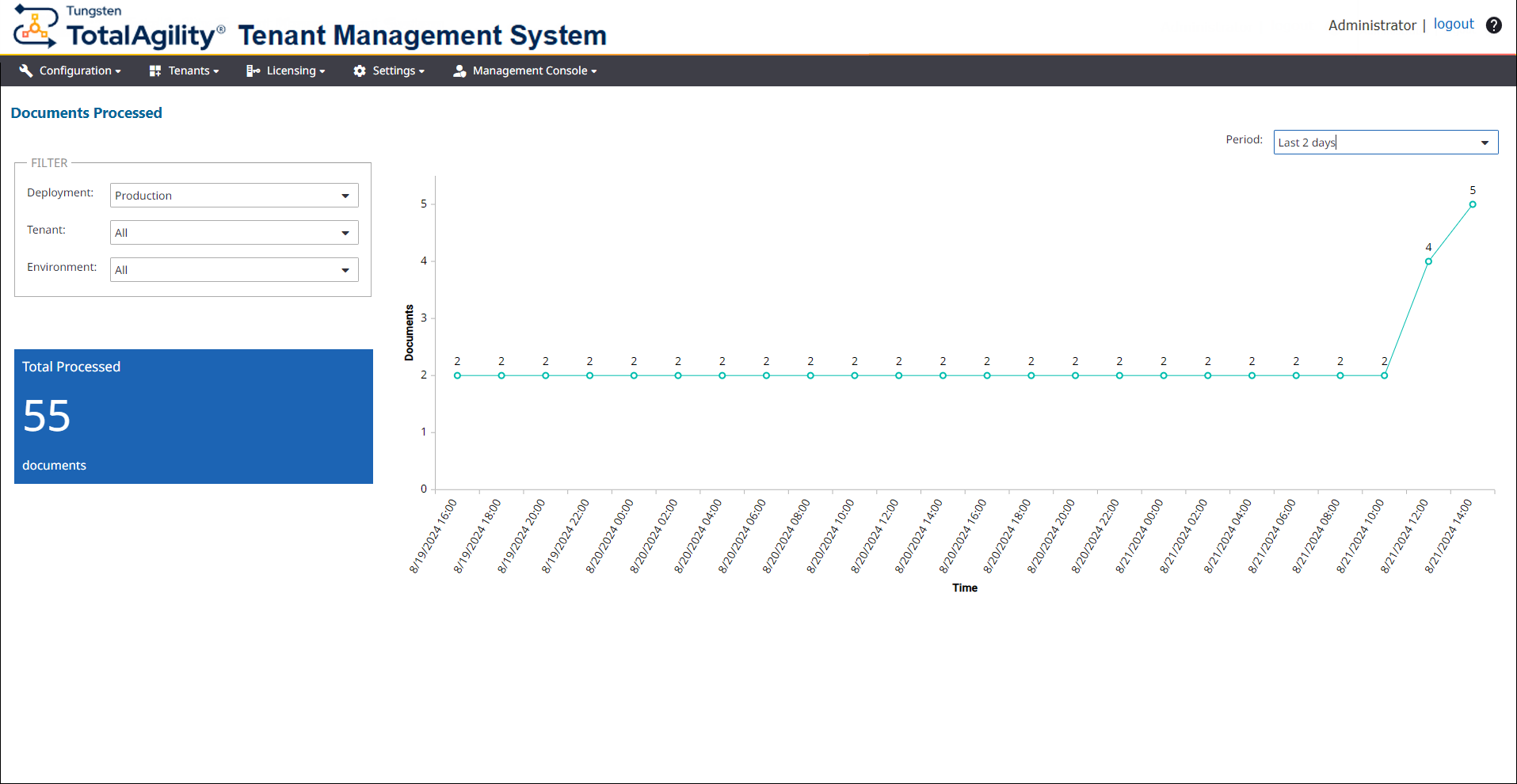
Documents Processed dashboard
Use the Documents Processed dashboard to view the usage trend of transformation volume for document processing analysis.
-
On the header bar, click
.
The Documents Processed page appears.
-
On the
Deployment list, select a deployment, such as Deployment1. (Default:
Production)
The dashboard displays the following details:
-
All tenants and environments for the selected deployment. You can filter the data by Tenant and Environment.
-
A tile with the total number of documents processed.
-
A line chart with number of documents processed over a selected period.
-
-
On the
Period list, select the period, such as Last 7 days, for which you want to
get the statistics. Available options are: All (default), Last 4 hours, Last 8 hours, Last 12 hours, Last 24 hours, Last 2 days,
Last 5 days, and Last 7 days.
When you change the deployment, or filter the current deployment by tenant, environment, and period, the dashboard is updated accordingly. By default, the dashboard is automatically refreshed every minute. However, you can manually refresh the dashboard to update the data while retaining the applied filters by clicking Refresh.