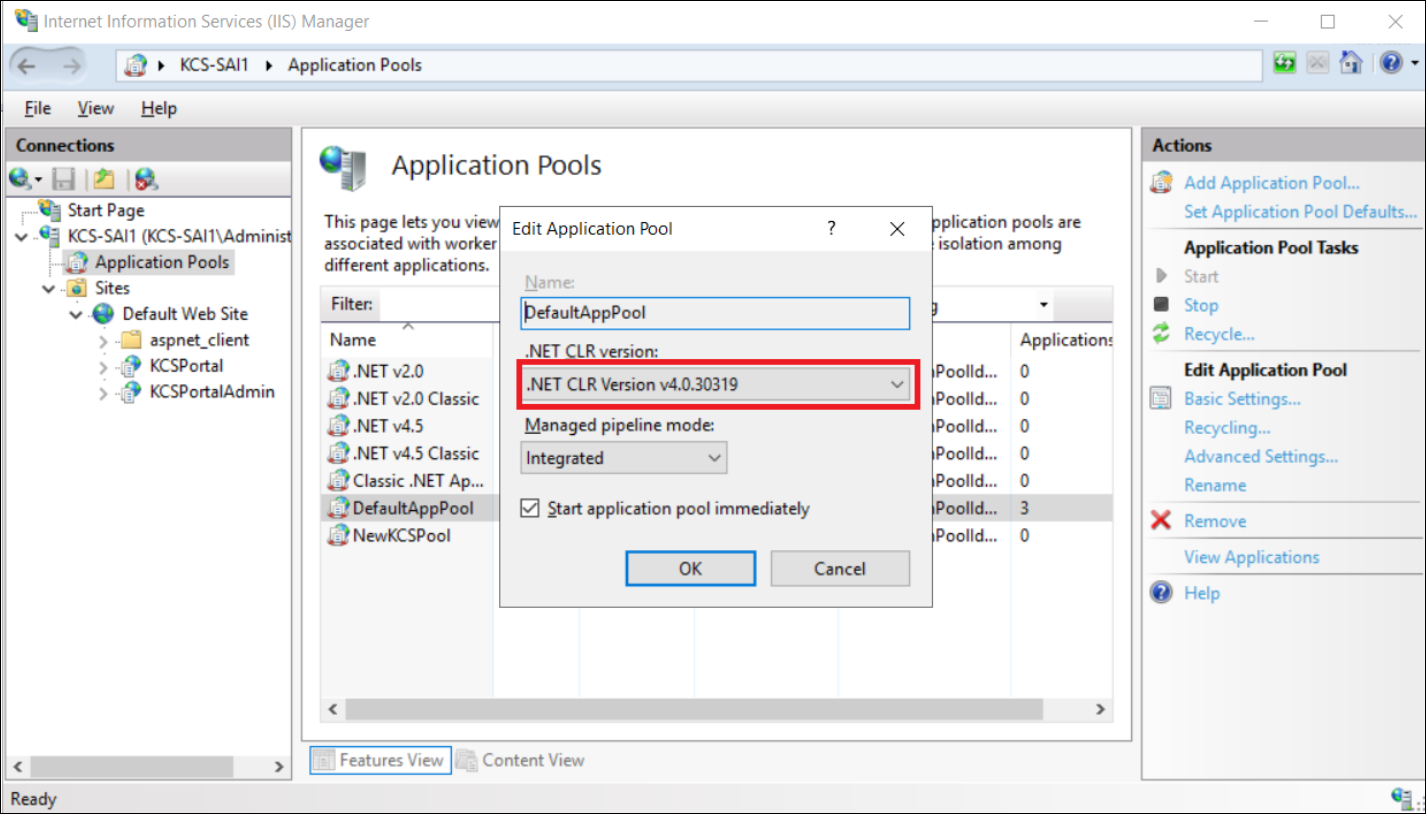
Enabling the IIS Web Server Role manually
The IIS Web Server Roles and related features are enabled automatically during KCS Portal installation. If enabling of IIS Web Server fails, activate the web server manually and then install KCS Portal.
Perform the following steps to enable the IIS Web Server Roles on Windows Server 2019.
-
Start the Server Manager from the Windows Start menu. The Server Manager screen appears.
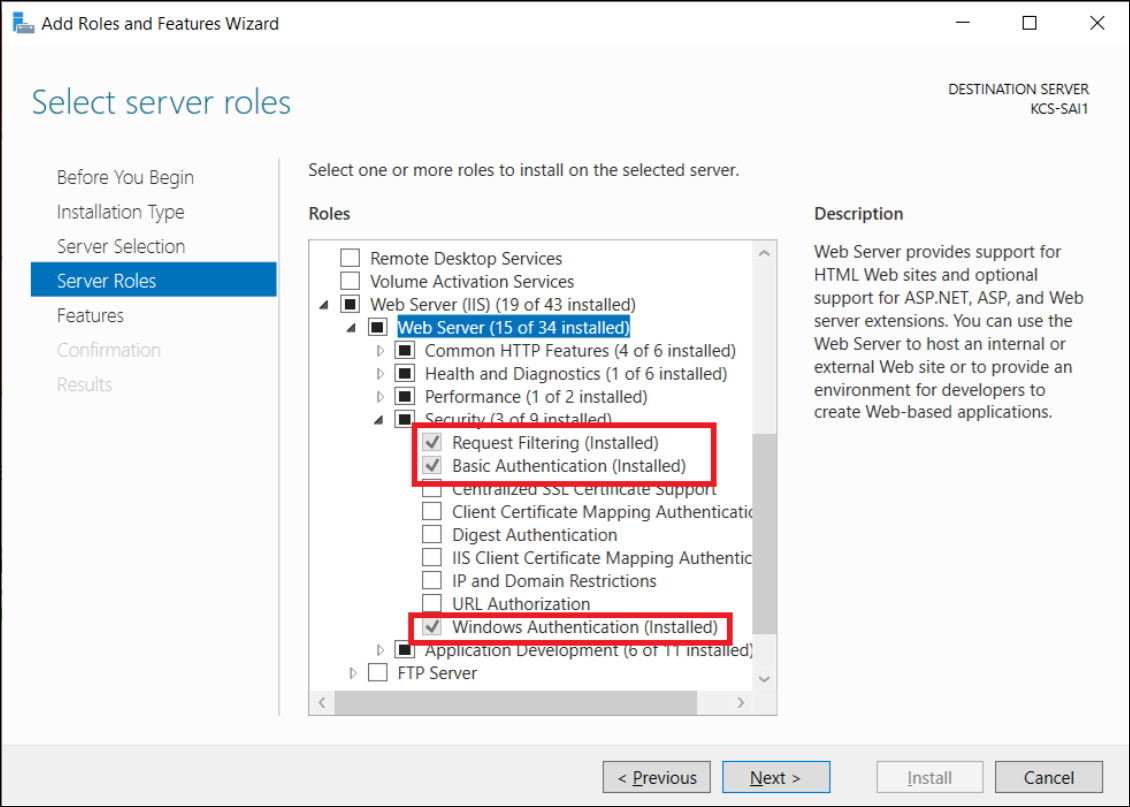
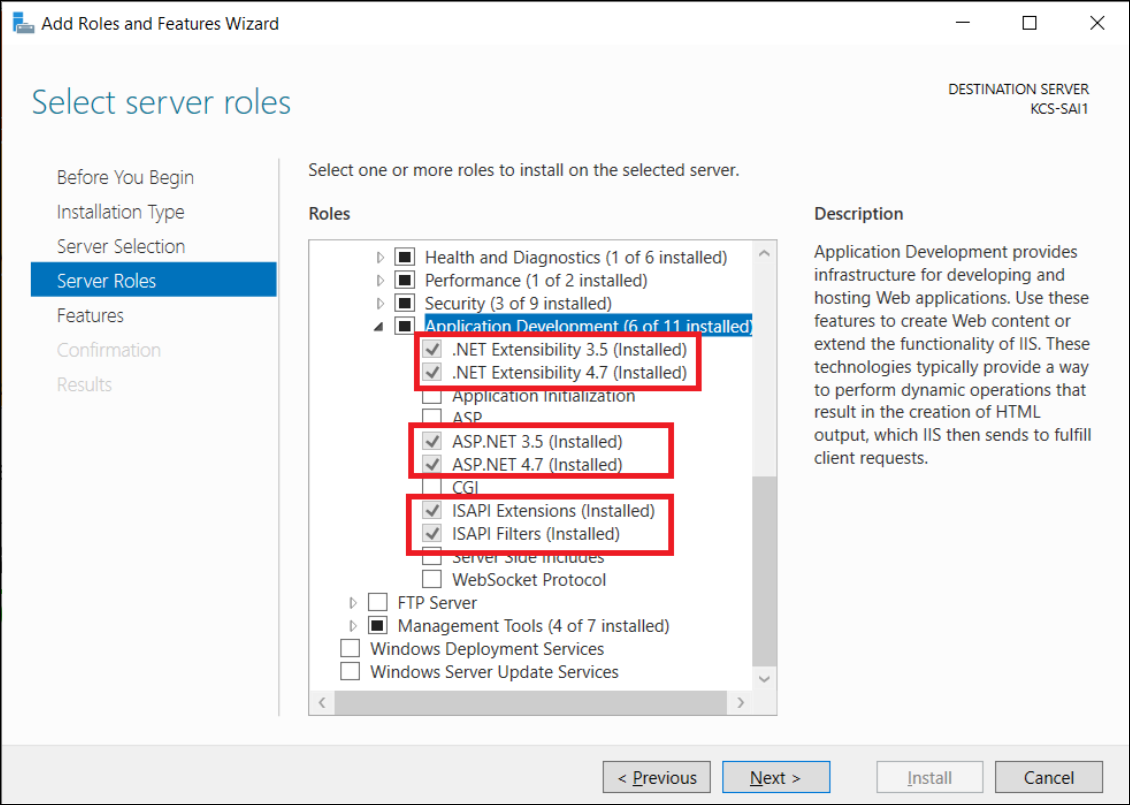
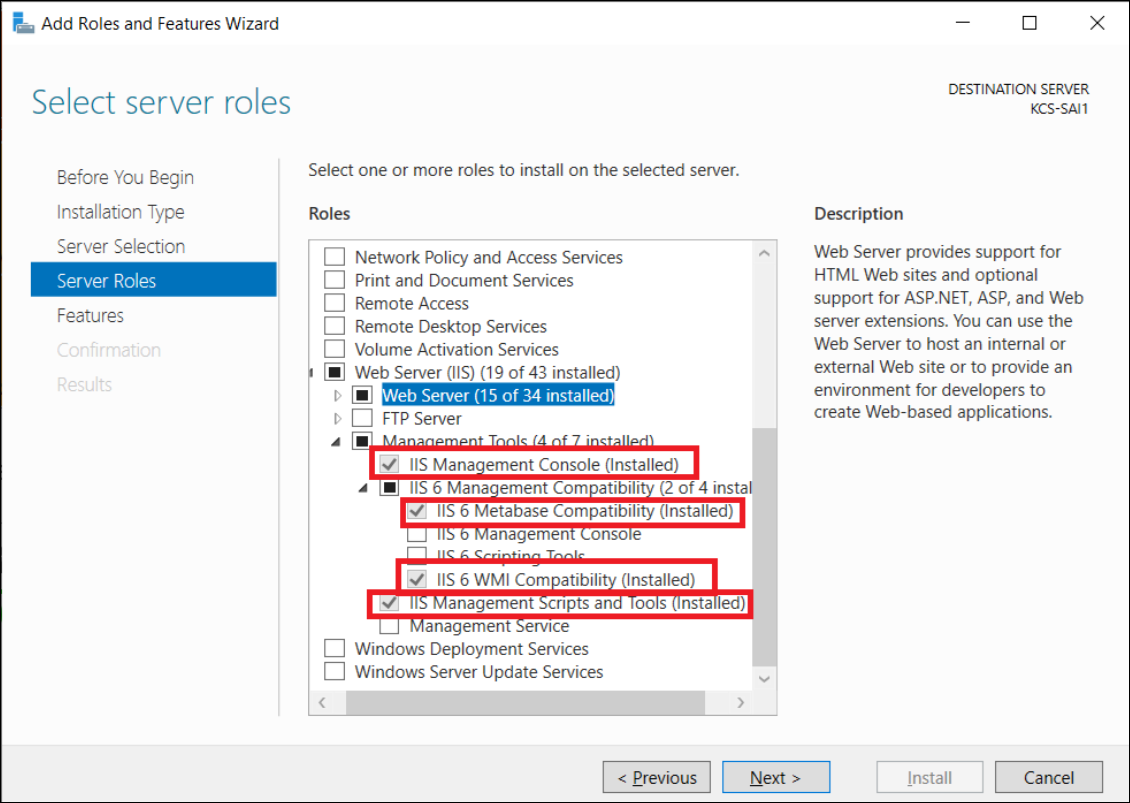
When the following screen appears, locate the required server role and role services.
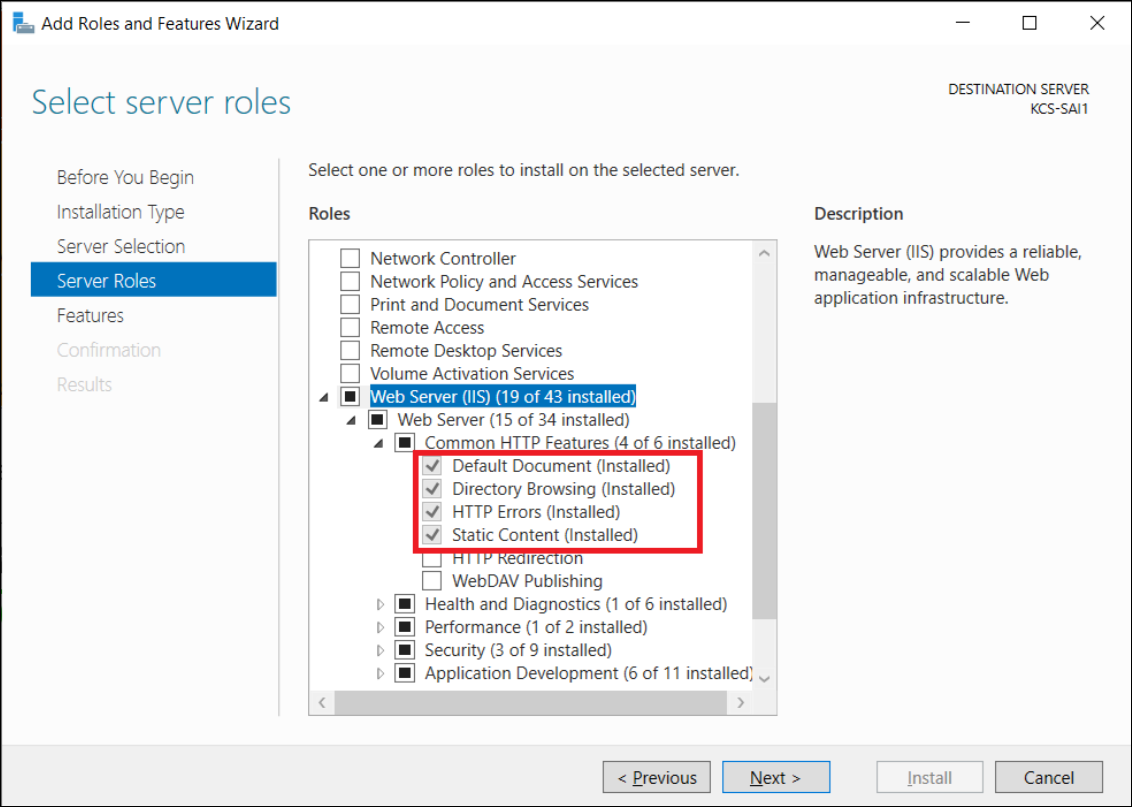
WebDAV Publishing must not be activated.
-
Click
Server Roles, select the required role to install on this server, and click
Next.
-
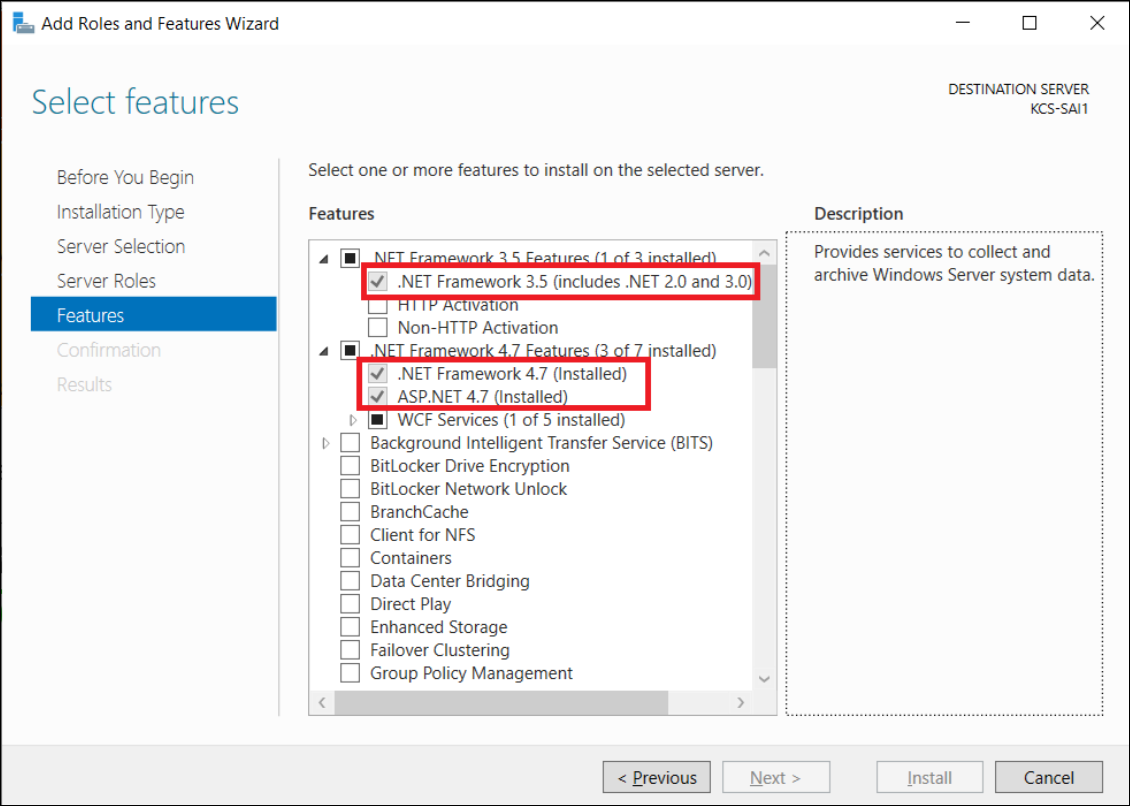
Select the features and click
Next.
-
Use IIS Manager to verify that the required .NET Framework version is available.