
Replace image
You can replace the image between two items. You can replace the image of item 'a' with the image in item 'b' or vice versa.
-
On the
Results page, select the two items between which you want to replace the
image.

-
Click the drop-down menu in the results table to view the available options.
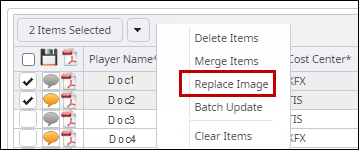
-
Click Replace Image.
A dialog box with the selected items appears.
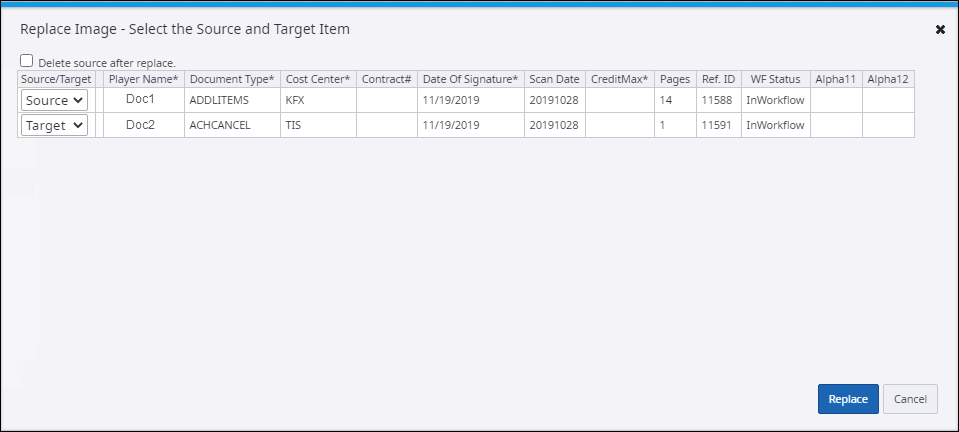
- Select Source, the item whose image is used to replace the image in the target item.
- Select Target, The item whose image is to be replaced with the source item image.
- Click Replace. A message stating that the image is successfully replaced, appears.