
Operator navigation menu
After you click any Operator icon on the home page, the user interface for the corresponding functionality appears. To go back to the Transact home page and access the Operator menu options, click the product name in the header. Otherwise, hover over the leftmost arrow to open the navigation pane with the following menu items.
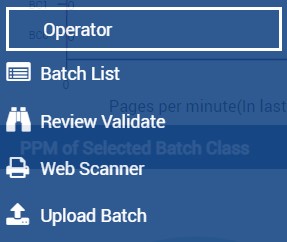
The following table provides a brief overview of each operator page.
|
Page |
Features |
|---|---|
|
Exception-handling queue, organized by classification extraction exceptions |
|
|
Various operations on the batch, such as classifying, splitting, copying, and deleting the document during review or validation stage |
|
|
Browser-based scanning interface, allowing users to leverage a local TWAIN-compliant scanner to scan documents directly to the Transact server |
|
|
Manual upload area for initiating batch processing of electronic files |