Create an Azure storage account
Create an Azure storage account using the Azure Management portal.
- Open the Azure Management portal.
- Create an Azure storage account (take a note of the storage account name and access key).
-
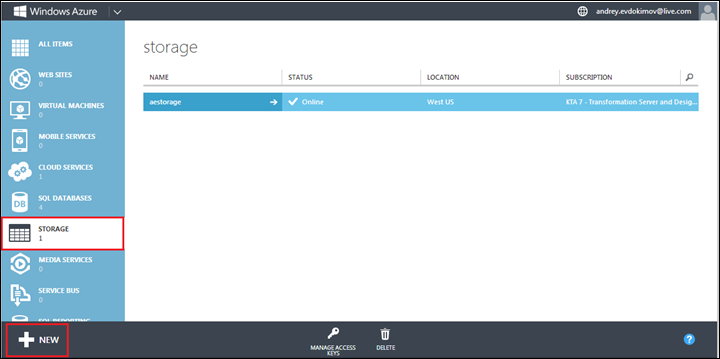
Open the Azure Management portal.
-
Select the STORAGE menu and click NEW.
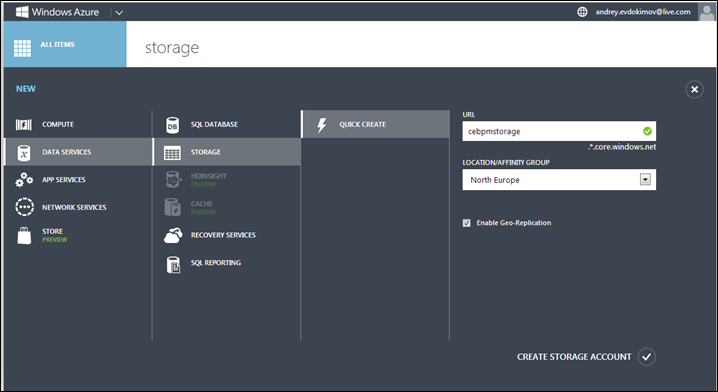
- In the URL box, enter name for your storage.
- Select LOCATION/AFFINITY GROUP.
-
Click CREATE STORAGE ACCOUNT.
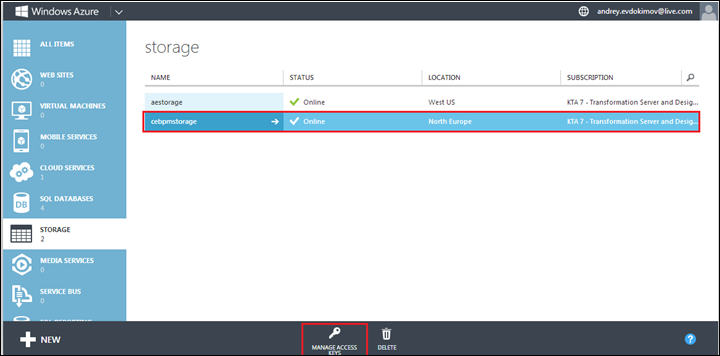
- To get access key to your Azure storage, on the list of available storages, select the storage you need and click MANAGE ACCESS KEYS.