Process non-PO invoices with invoice journals
Since Microsoft no longer supports Dynamics
AX, the Dynamics AX 2012 integration is no longer maintained or
supported.
In addition to target system settings, there are settings you must adjust in Dynamics AX to process non-PO invoices with invoice journals. This feature also requires Workflow services in Tungsten AP Essentials.
In Dynamics AX, you must create a journal name with specific settings.
-
In Dynamics AX, navigate to , and use the dialog box to specify an invoice journal.
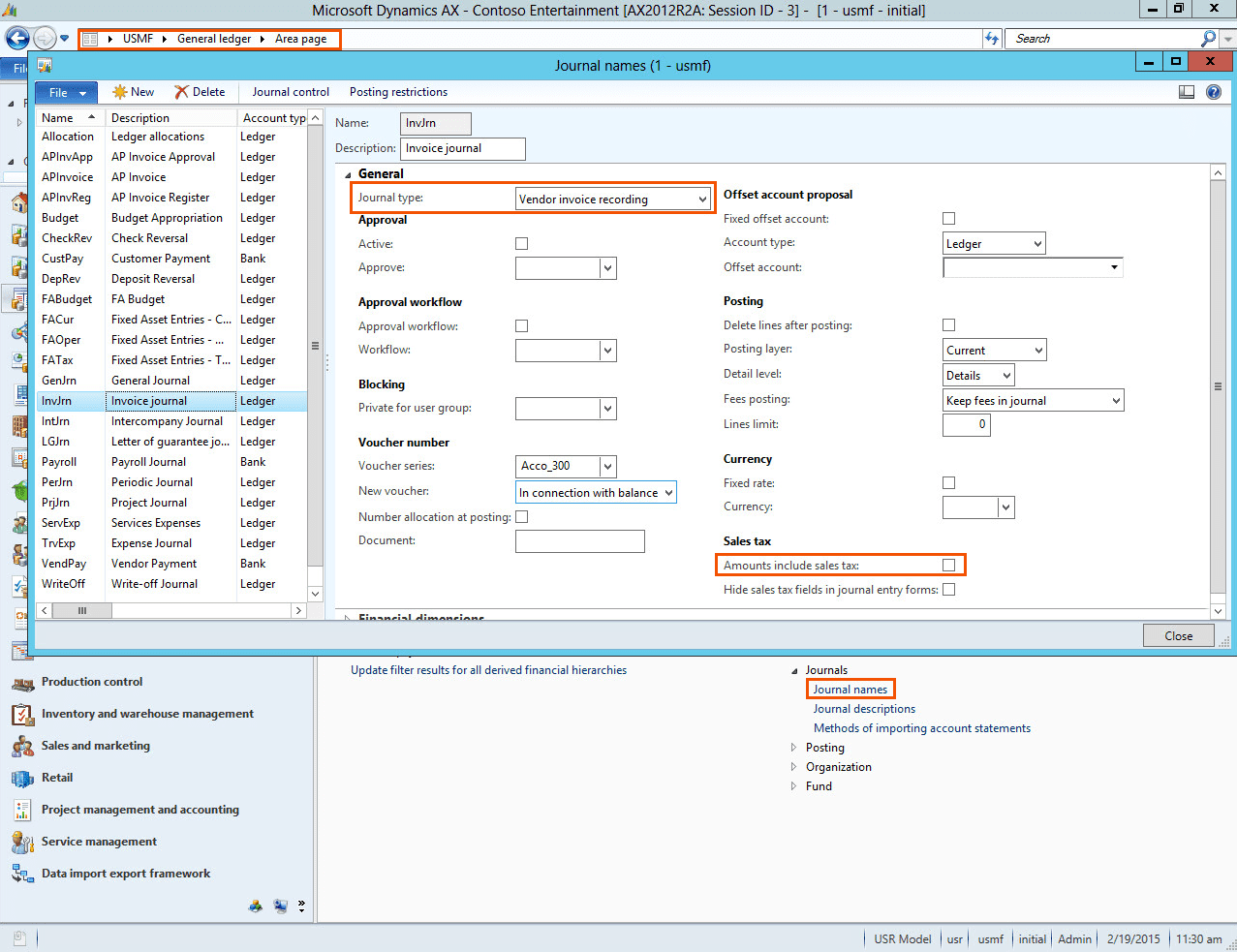
- Ensure that the journal type is set to Vendor invoice recording and ensure that Amount incl. sales tax is not selected.
About invoice journals
There are two types of invoice journals:
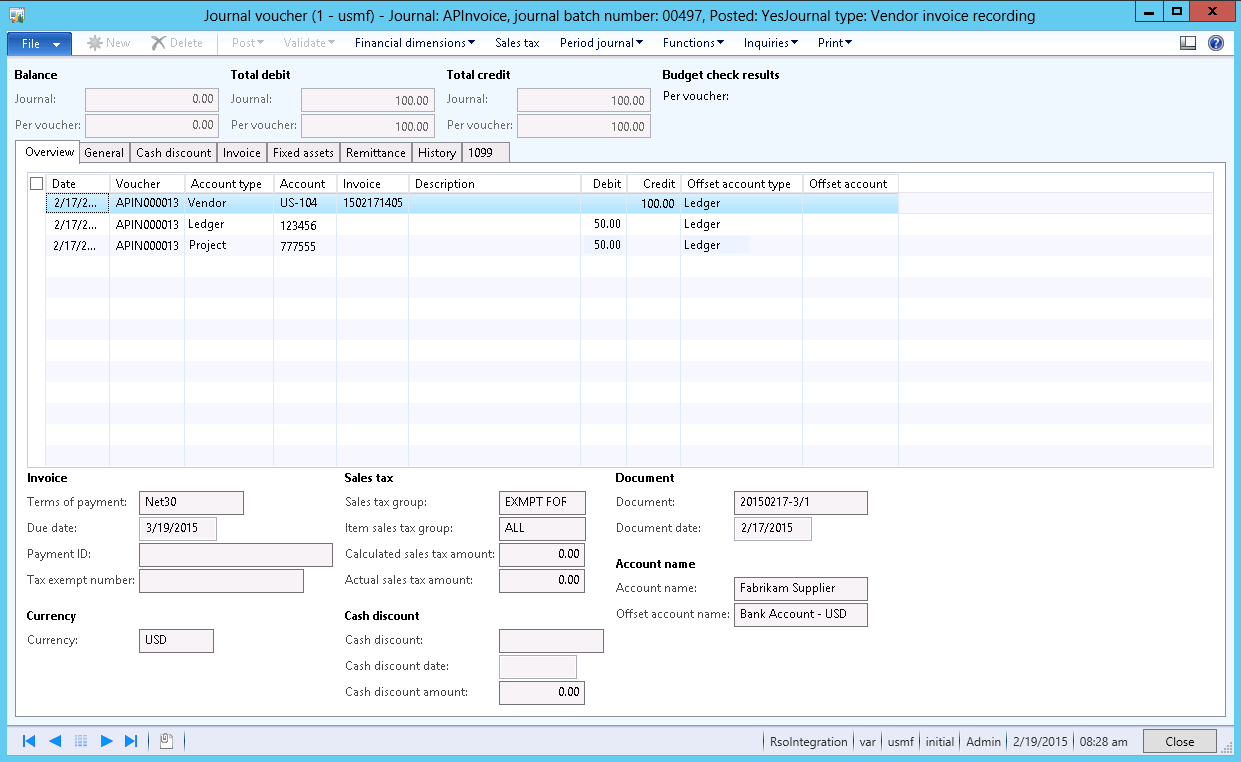
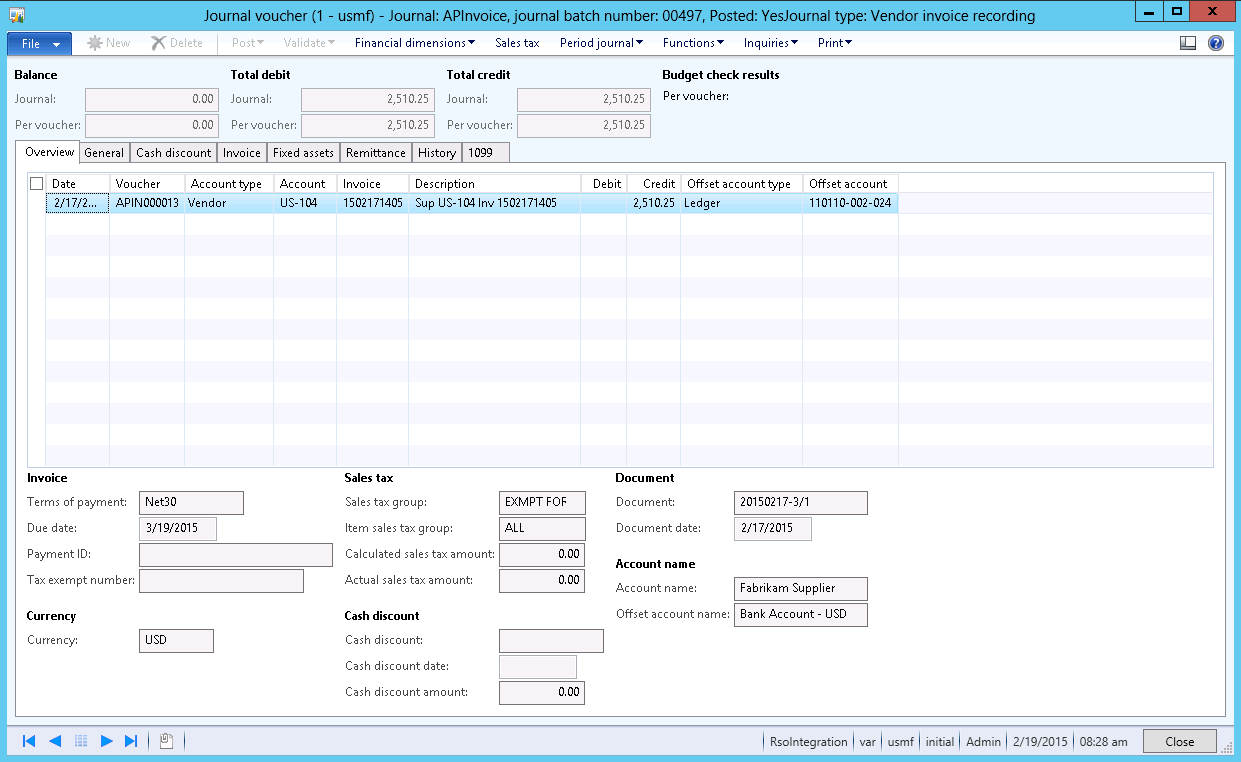
- Single-line invoice journals, where the cost is not split into different charges. In this case, you can specify the offset account type and value on the vendor row.
- Multi-line invoice journals, where the cost is split into different charges. In this case, the first row contains the credit amount for the vendor, and each additional row specifies a cost as a debit amount. On each row, you also specify the account type and the corresponding value.