Basic UI organization and available tools
The Tungsten Communication Server Portal user interface consists of a header, navigation tree, and content areas.
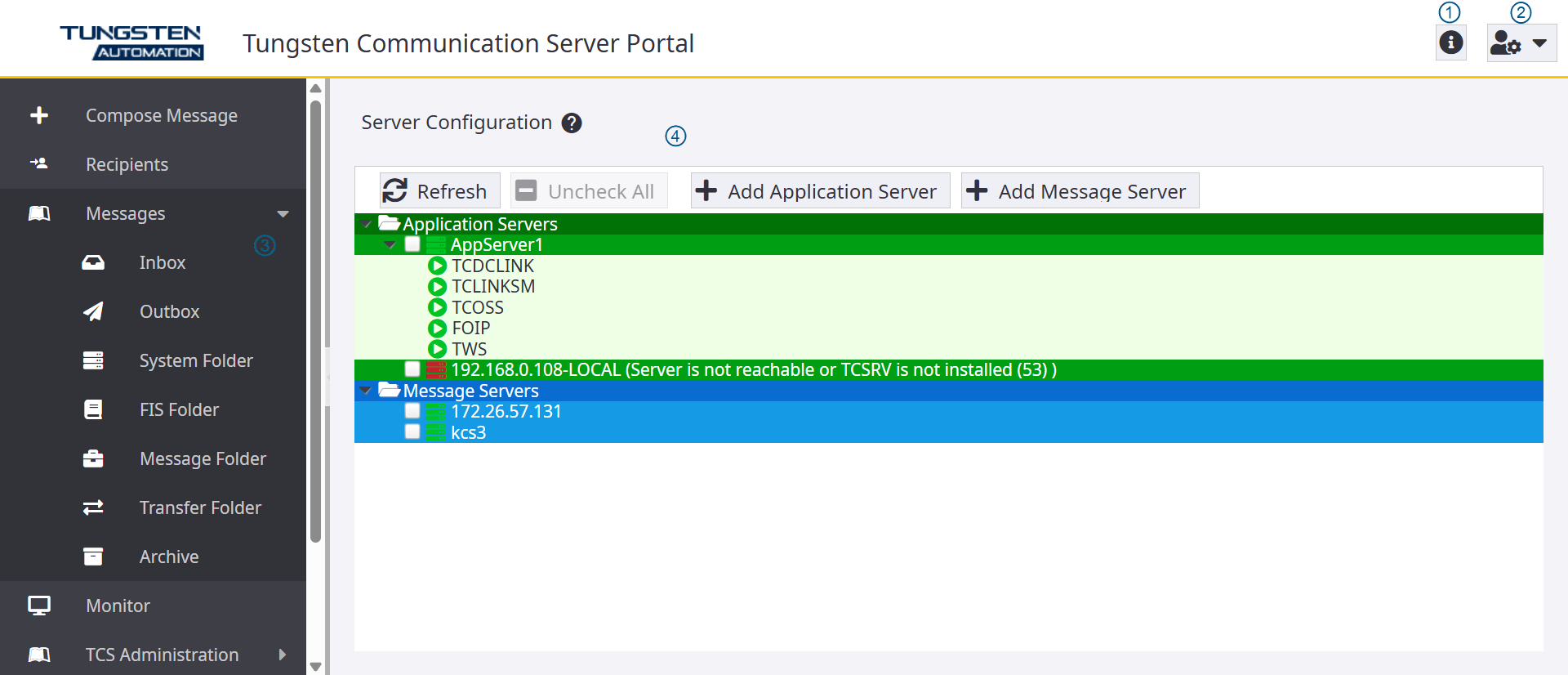
The following table illustrates the main elements of Tungsten Communication Server Portal interface.
| Function/Description | |
|---|---|
| 1 | Displays Tungsten Communication Server Portal version information. |
| 2 | Displays a screen to configure the
following properties for a user:
|
| 3 | Displays the menu for only those
functions that are available for the logged-in user’s role.
|
| 4 | Displays the content of the tool
selected in the left pane:
|