
Forward
You can forward a message available in the Inbox or Outbox folder to any desired recipient. To forward a message, do the following.
Forwarding a message from the Inbox terminates the message.
-
Double-click a message in the
Inbox or
Outbox grid.
The Message pop-up window is displayed.
-
Click
Forward.
A compose window is displayed and the original message is included as text. The original recipient information (recipient, originator, time, etc) is added to the message content. A blank line is added to provide any additional information. The TO, CC, and BCC fields are blank for specifying the desired recipients.
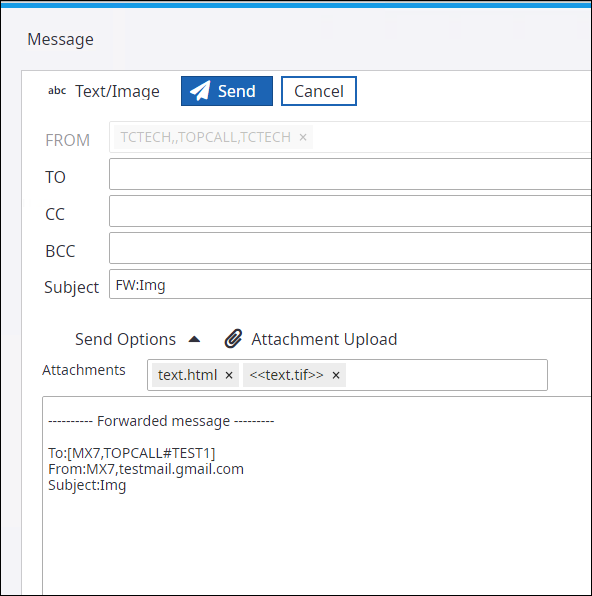
Attachments of the original message remain attached to the forwarded message.
- Enter the recipients (TO, CC, and BCC) as required. You can add new message and information.
- Click Send.