
Mark a message as read or unread
You can mark a read message as unread and vice versa.
-
From the navigation page, go to
.
The list of messages in the inbox is displayed.
-
Do one of the following based on your requirement.
-
Mark an unread (New) message as read.
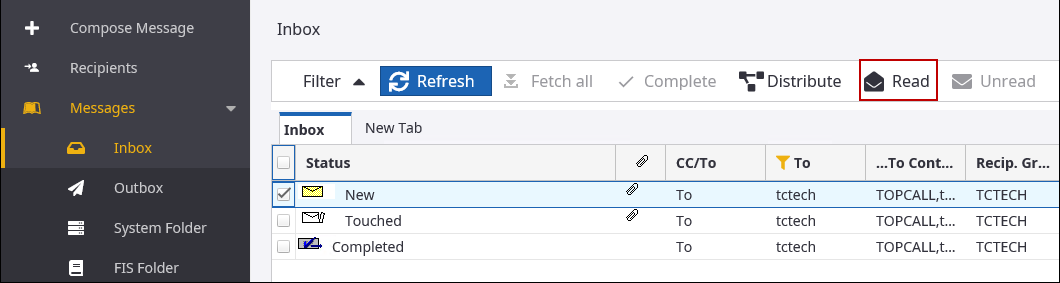
- Select the message to be marked as read. The status of an unread message is displayed as
New.
-
Click Read.
The status of the message is changed to Touched.
- Select the message to be marked as read. The status of an unread message is displayed as
New.
-
Mark a read (Touched) message as unread.
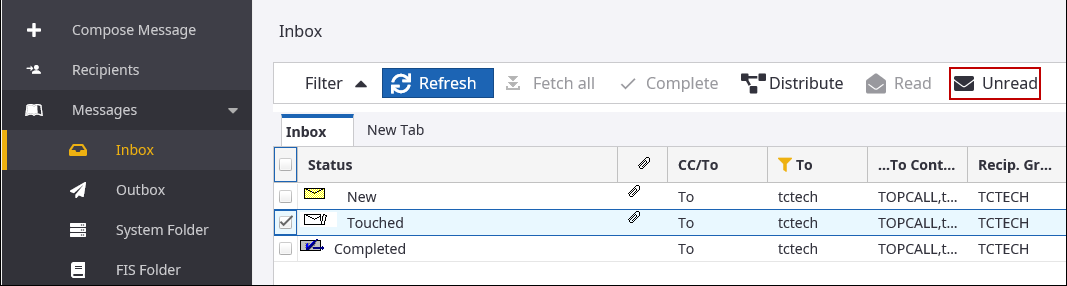
- Select the message to be marked as unread. The status of a read message is displayed as
Touched.
-
Click Unread.
The status of the message is changed to New.
- Select the message to be marked as unread. The status of a read message is displayed as
Touched.
-