
Change own password
Use this option to change the password of the logged-in user.
-
From the home screen, click
 and select
Preferences.
and select
Preferences.
The following dialog box appears.
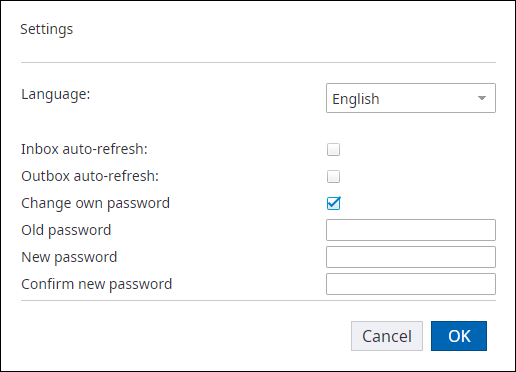
- Select Change own password.
- Enter your existing password in the Old password box.
- Enter the new password in the New password box.
- Enter the new password again in the Confirm new password box to confirm.
- Click OK.