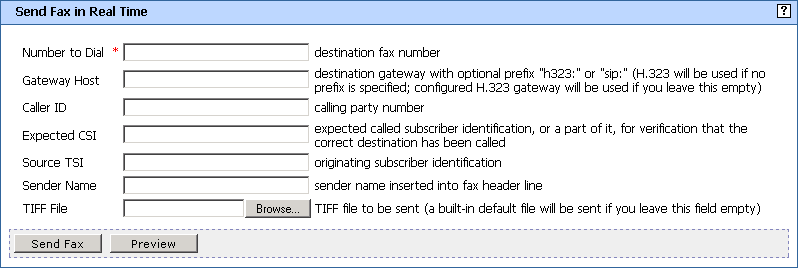
Send Fax in Real Time Window
This page appears when you select from the Development Tools menu. Use this page if you want to send a test fax in real time without storage.
- Number to Dial
- The destination fax number where the fax should be sent. Mandatory parameter.
- Gateway Host
- Host name / IP address and port of an H.323/SIP gateway. Leave the field empty to use the value from configuration.
- Caller ID
- The number of the calling party.
- Expected CSI
- The expected called subscriber identification (or a part of it) for verification that the correct destination has been called.
- Source CSI
- The originating subscriber identification.
- Sender Name
- The name of the sender (displayed in the fax header line).
- TIFF File
- The TIFF file to be sent as the contents of the fax. A built-in default file will be sent if you leave this field empty.
- Browse... button
- Click to select the TIFF file.
- Send Fax button
- Click to send the fax message.
- Preview button
- Click to display the fax message before sending. The message will include proper fax header line.