Additional verification data
The verification request page also offers the possibility to enter additional data that is required for the verification process. The following table gives a list of all fields that can be entered for ICV. The actual configuration depends on the customer’s business requirements and the configured workflow.
| Field | Default value | Mandatory
General |
Mandatory
Default |
Visibility
Can be hidden |
Visibility
Default |
|---|---|---|---|---|---|
| Bank Code | current bank code | yes | yes | yes | hidden |
| Bank-No. | current bank number | yes | yes | yes | hidden |
| Country | current country | yes | yes | yes | hidden |
| Customer No. | account number in account model | yes | yes | in account model |
visible in customer model, hidden in account model |
| Account No. | yes | yes | no | visible | |
| Amount | 0.00 | yes | yes (for ASV) | yes | visible |
| Currency | default currency | no | yes | yes | visible |
| Date | current date | yes | yes | yes | visible |
| Transaction No. | no | no | yes | hidden |
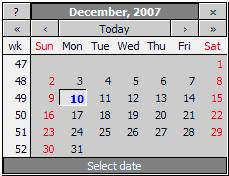
The date picker icon
 letting you easily choose
dates instead of entering the date for the entry field manually. A date
selection popup appears after clicking on the icon.
letting you easily choose
dates instead of entering the date for the entry field manually. A date
selection popup appears after clicking on the icon.