Column 3 - Signing power of the signatory
The third column shows all the rules defined for the signatory, if possible. Principally, only rules that are valid at the current date (see also Status Bar) and that are related to either the current account or all accounts of the current costumer are displayed. For deposition reasons, only the first 6 valid rules will be displayed automatically. If more than 6 rules are defined for this signatory, they can be displayed in the Detailed View.
The first row of every signatory is reserved for status information.
This may be a "No Right" Indicator and a Complex Indicator
 .
.
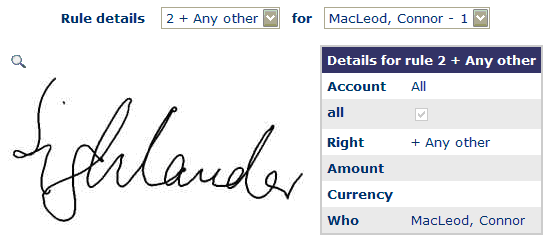
A click on a rule or the Complex Indicator
opens the Detailed
View of the signing power of the signatory. Here, all the properties of the
selected rule will be displayed. It’s also possible to see all the other rules
of the current account and query date. The rule to be displayed can be chosen
by selecting the corresponding items in the rule- and the signatory
pulldown-menu. A click on the Magnifying Glass icon
 (leftmost) loads the
Detailed View for the current signatory.
(leftmost) loads the
Detailed View for the current signatory.
Infotip: shows the category of rule and other information.