
Add a tree mode definition
To add definitions for an application tree:
-
If the Tree Modes area is not expanded, select the down arrow, which changes to an up arrow.
Alternatively, you can right-click an application tab title or a component in the Recorder View to create a Tree Modes definition.
-
If no definitions exist, select the green plus sign.
-
If definitions exist, use one of the following methods:
-
To add after existing entries, select the green plus sign.
-
To add between existing entries, select the preceding tree mode, then select Add Below to insert the new one.
-
-
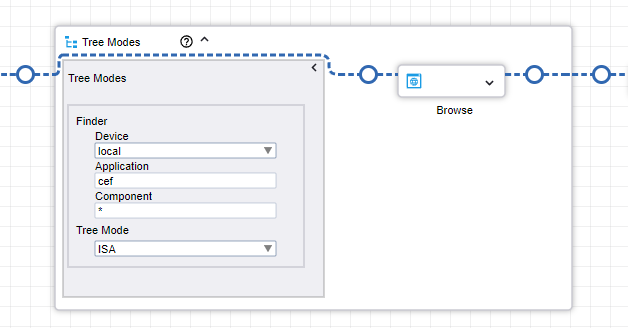
From the list, complete the following Finders entries:
-
From the Device drop-down list, select the device.
-
Type the Application name.
-
Type the Component name.
-
-
From the Tree Mode list, select one of the following:
- ISA: Turns on user interface (UI) recognition that determines interface elements from a graphical representation of the program interface. Use this mode with programs that do not provide automation API.
- Windows: Provides options for the widget tree generated using Windows automation API.
- No Tree: Does not populate the application tree. Use this option for applications that become unstable if a robot tries to extract their trees.