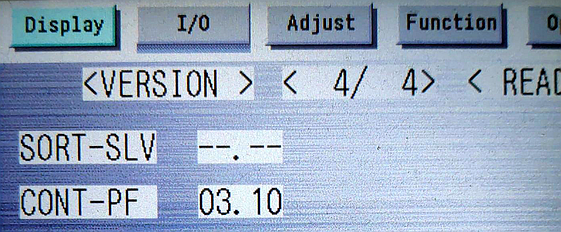
Check the Canon platform version
On Canon devices, use the device panel to check Canon platform version as follows:
-
Press
 (Settings/Registration), then type 2+8, then
press again to
access the service menu.
(Settings/Registration), then type 2+8, then
press again to
access the service menu.
- Go to .
-
On the Display tab tap VERSION,
then look for CONT-PF on one of the pages.