
How to configure print authentication at the MFP
- On the MFP console, press the Utility/Counter hard key.
- Press Administrator Settings and log in as administrator.
-
Navigate to , and select a TRAP Setting option to print
without authentication.
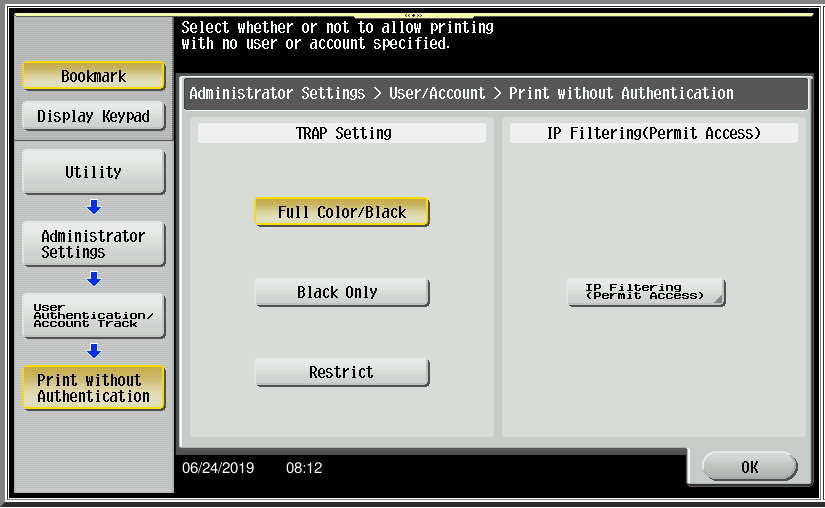 The Print without authentication option is used only when tracking print jobs through Equitrac ports.
 - Press OK to save the setting.