Module
The TotalAgility interface includes the following modules:
-
Process Designer
-
Form Designer
-
Resources
-
Data
-
Business Monitoring
-
Integration
-
System Settings
-
Packages
-
Insight
When you click a module on the Home page, the module staging page opens.
The following illustration shows the
Process Designer staging page:
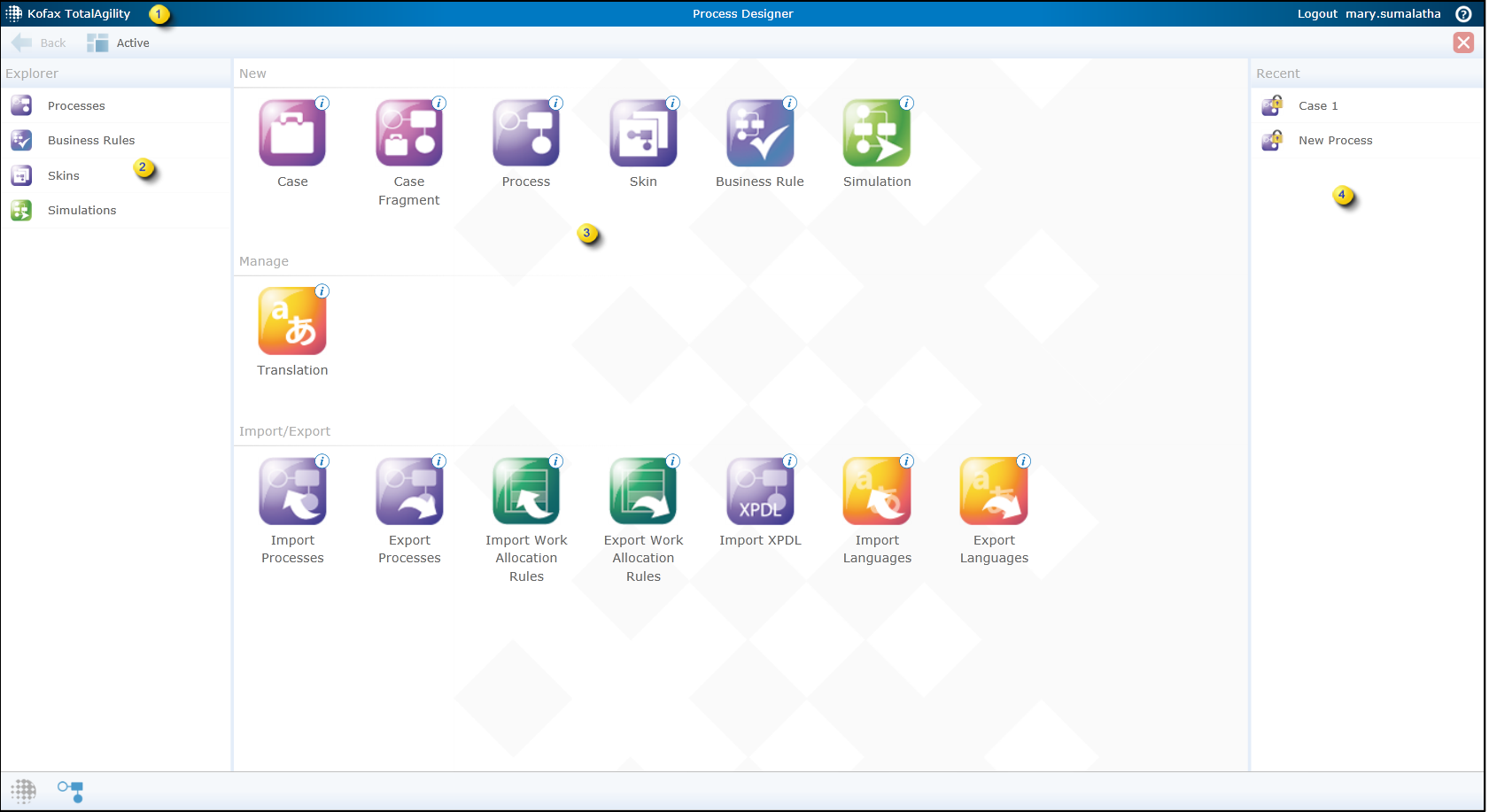
A module displays the following items:
| 1 | Action Bar |
Displays icons for commonly used commands. The commands that appear differ depending on the module. See Commonly used buttons for more information. |
| 2 | Explorer |
Displays a list of items depending on the selected module. For example, the Process Designer explorer displays a list of processes, cases, business rules and skins; the Forms Designer explorer displays a list of navigation options, sites, themes, and forms. |
| 3 | Staging Area |
Displays shortcuts to new items depending on the selected module. Clicking a shortcut opens the Modeler or the configuration page for the item. |
| 4 | Recent |
Lists all recently created and modified processes and forms within their respective module. Note Recent items are only available for the
Process Designer and
Form Designer modules.
|